Knowledge base › Troubleshooting
Feeds look empty
The almanac strip, the Unread view, no account, and the fetch cycle.
An empty feed list is usually the almanac strip pointing at another period, the Unread view with nothing unread, or no feed account yet. Check those three before anything else.
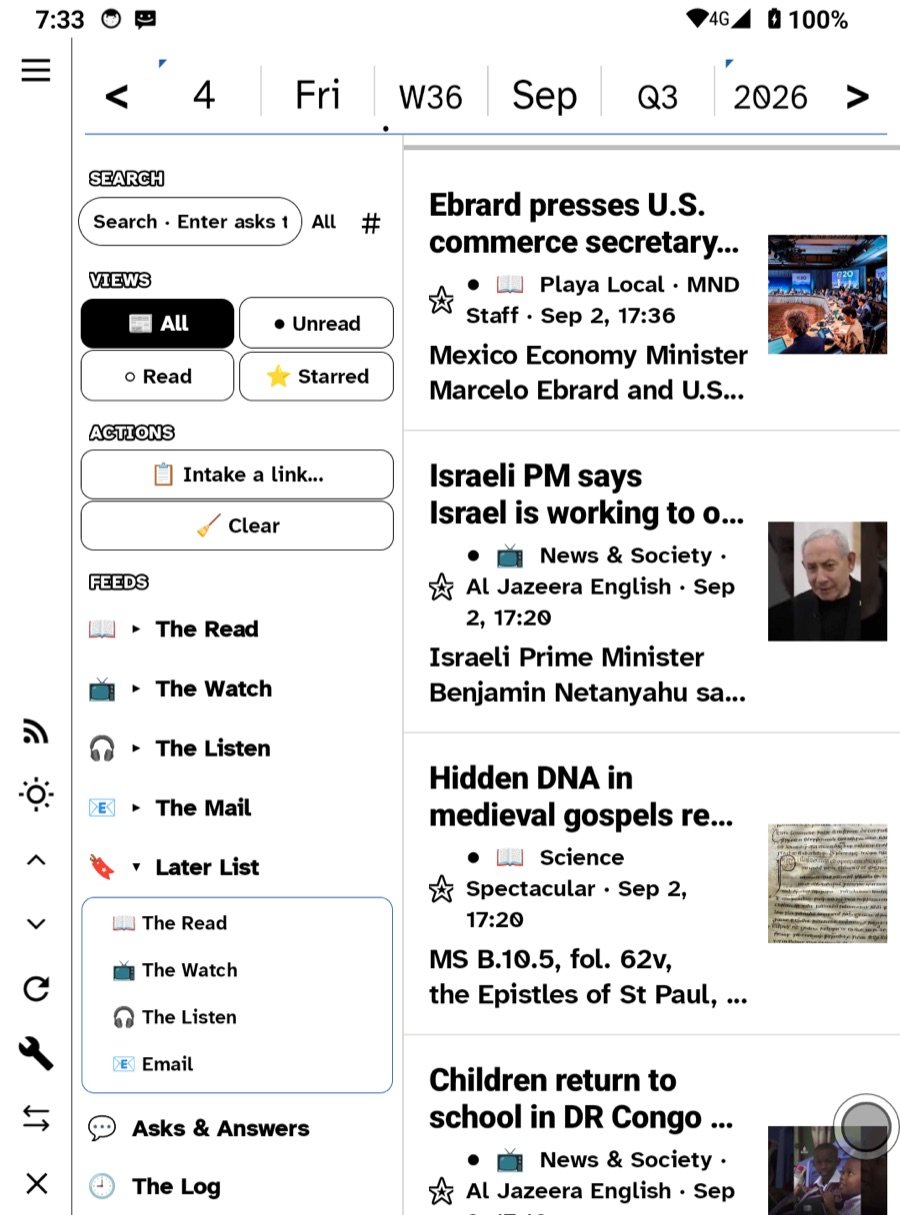
1. The almanac strip
On lists, the strip is a filter. If it says last week, you see last week’s entries. Tap the day, or press Today on the rail, to come back to now. This is the single most common cause.
2. The view
All · Unread · Read · Starred. After a Clear, Unread is empty by definition. Switch to All. If you cleared by mistake, Undo puts the sweep back until you leave the screen.
3. No account
With no feed server, Incoming shows only Local Feeds, and Local Feeds are empty until you add an address. Settings › Feeds sets up a server; the podcast finder subscribes into Local Feeds without one. See Connecting your feeds.
4. Wrong token or address
Re-enter the address and token in Settings › Feeds. Miniflux wants an API token, not your password, and the address is the server’s root, not a feed page.
5. The fetch has not run yet
Feeds are fetched on open and on a cycle — 30 minutes by default, or Off. On iOS the cycle means “no sooner than”; the system chooses the moment. Pull to refresh, or tap Refresh on the rail.
6. You are offline
Opening a feed offline shows the cached rows, and the readable copy of each entry that was fetched while online. A feed you never opened online has no cache. What was fetched at six reads at eight; what was not, does not.
7. A folder with nothing in it
Expanding a folder opens its unified feed. An empty category is an empty feed, not an error.
8. Beta server types
Only the feed server the app is verified against is shown in the picker. If you were set up on one of the hidden types and it stopped, it is the beta showing its edges; see Report a bug.
Widgets
The Feeds widget shows the newest unread the app last published. On a poor connection it falls back to a shorter list rather than going blank; it never shows a stale count as new.
The Later List
Later is a feed under The Listen. It is empty until you hold a link and choose Later, or file a letter’s links. Its own feed address is in its menu.
Notifications
New-article alerts are asked for once, after a server is configured. If you declined, they are off in the system settings for Ledgable, not in the app.
In this section: Troubleshooting
Ledgable — cozy and transgressive