Ledgable makes the internet ledgible · cozy and transgressive
A More Ledgable Internet
If you’re already prone to executive dysfunction, you get it. Here’s a place to keep you in place. And a place for all your thoughts. Scroll with the volume buttons or turn the page: finally, a Kindle for everything. Write by hand. Read your books, your comics, your mail and your feeds in the same quiet place. Publish to a website you actually own — and never hand your years to anyone who can lock the door. Built for nonlinear thinkers, old-internet people, and anyone done being the product.
I made this because I am top of my field at executive dysfunction. I’m a creator; I can’t help myself. A maker. A tinkerer. Maybe a hoarder. Ledgable takes your piles and makes them ledgible. — Michael, who made it
Like a Kindle · designed for readability
Scroll with the volume buttons, or turn the page.
Finally, a Kindle for everything: books, comics, web pages, articles, newsletters, mail. On e-ink and Android the volume rocker pages every screen, down for next, up for back, two presses to go home. One thumb, no swiping, no smear. On iPhone and iPad, a tap or a swipe.
One reader for all of it. Set the font, the spacing and the colorway once and books and articles share them. Anything can be read aloud. Nothing is ranked, nothing is sponsored, and every page ends.
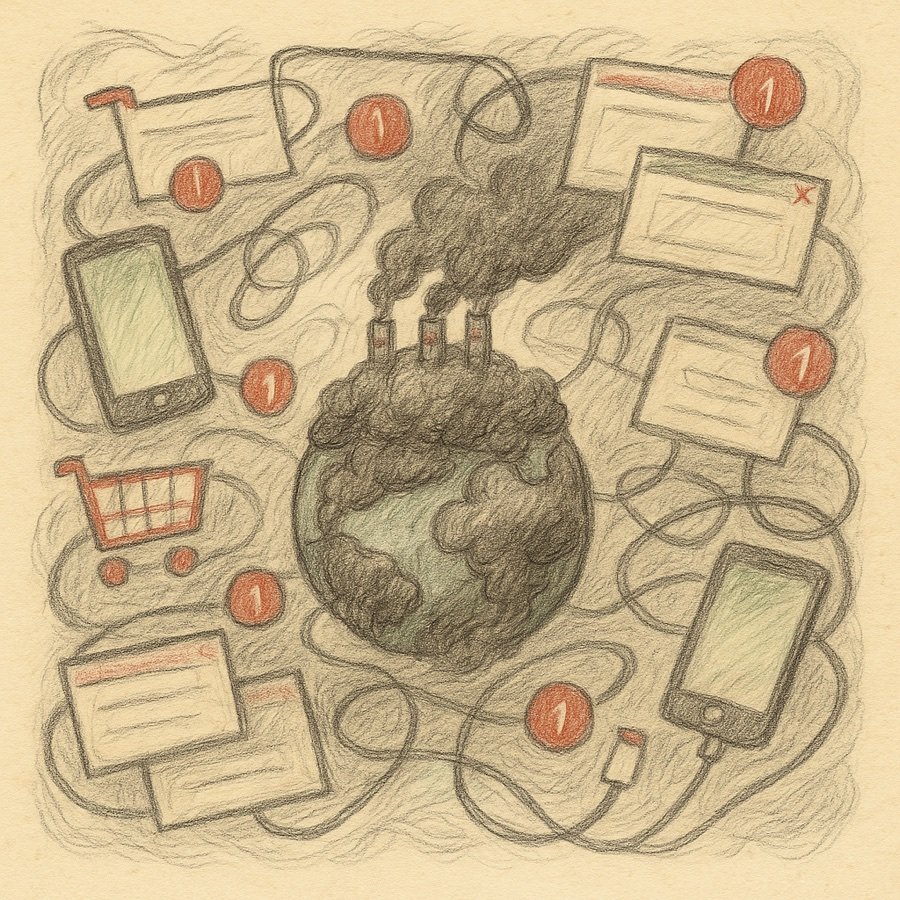
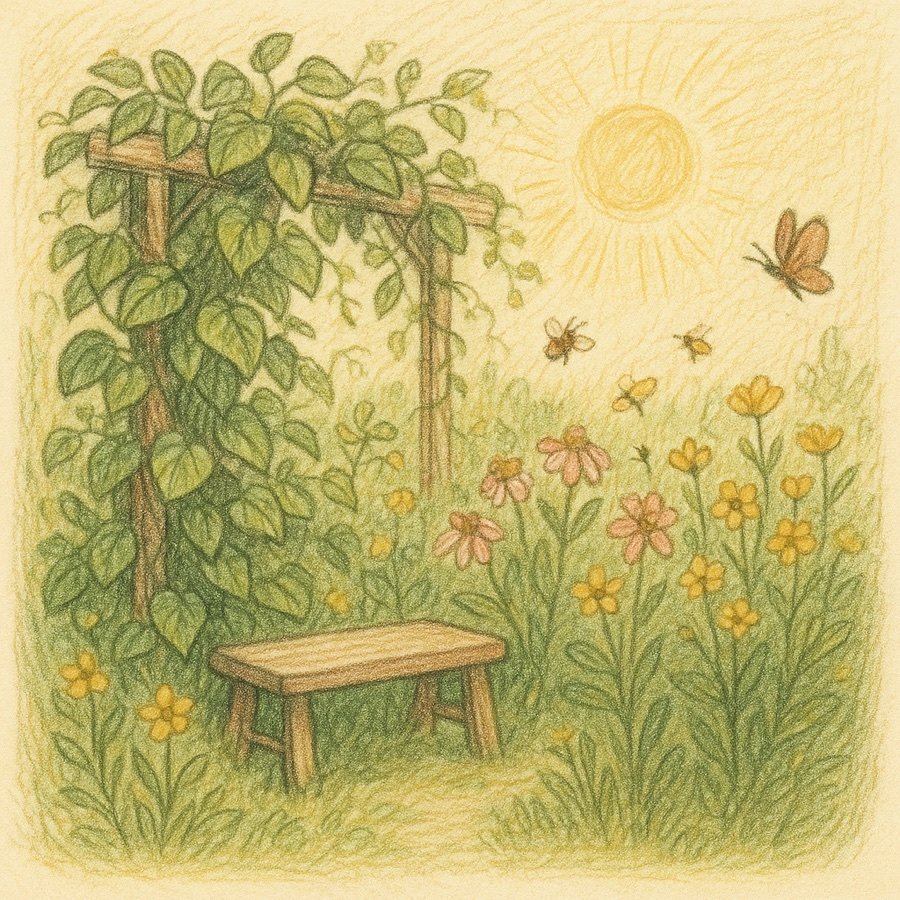
Not a luddite. A gardener.
It’s not about being a luddite. It’s about developing a wide range of inputs and filtering out the trash.
The big points
- Scroll with the volume buttons, or turn the page! iOS, Android. Finally, a Kindle for everything: books, comics, web pages, articles, newsletters, mail. On e-ink and Android the volume rocker pages every screen; on iPhone and iPad, a tap or a swipe. Page with the buttons.
- One unified inbox. Every mail account, every feed, newsletters, YouTube channels, podcasts, Bluesky: one room called Incoming, one search across all of it, the same four views everywhere. Star a thing from any of them and it lands on the same page. See it.
- RSS feeds without the ads! Every article arrives as its readable copy: the words and the pictures, with the page’s ads, pop-ups, trackers and “you may also like” stripped out before it reaches you. Full text where the feed only gives a teaser. Read it offline, on e-ink, in your own font. Where feeds come from.
- Capture handwriting (fantastic on e-ink!), capture voice, capture video, capture pictures, and annotate everything with them. Every article, book, letter and page takes a note, a photo or a voice memo, filed on the day you made it.
- Don’t just consume. Comment, create, and do it without Cambridge Analytica trying to turn you into a zombie. No feed ranks you, nothing is sponsored, and nobody is measuring how long you stay.
- Synced between your Android and Apple devices. An e-ink tablet, an iPad, an iPhone, an Apple Watch: the same files, the same pages, the same handwriting. Notes, day pages, to-dos and picks travel as the day files; books and comics through the library hub, opening where you stopped; your calendar comes from the calendar the device already has. Write on one at breakfast, it is on the other by lunch. How that works.
- Free cloud or private hosting, your choice. Sync to Google Drive and run nothing, or to any WebDAV server you own or rent. Either way your years are plain, dated files you can open in a text editor.
- Open web, open source. The app is GPL. The WordPress plugin is GPL and downloadable. Every ledger publishes a feed, sends and receives webmentions, and can list itself in a directory with nobody in the middle. Run your own.
Keep up with your reading between devices.
Don’t get caught in a dopamine trap on the outer webs. Everything you read, write and tick travels with you, and nothing about it is rented.
Your devices never have to meet. Each one reads and writes the same folder on your server or your Drive, so an EPUB you add on the Boox is on the iPad, a page you write on the iPad is on the Boox, and a podcast you pause on the phone resumes on the tablet. There is no primary device and nothing to reconcile by hand.
Notes, day pages, ink
The day files. Mirrored to your WebDAV or Drive; two devices on one day are merged, not overwritten.
e-ink · iPad · iPhone
To-dos
In the day file, so the tick stays ticked everywhere. On iPad they can become Reminders too.
e-ink · iPad · iPhone · Watch
Picks and boards
Cards ride in the day; Pickings boards are notes. Sorted on the Boox, written around on the iPad.
e-ink · iPad · iPhone
Books and comics
The library hub: a folder on your server. Added on one device, offered on the others; every book opens where you stopped.
e-ink · iPad · iPhone
Calendar
From the calendar your device already has: Apple, Google, Exchange, CalDAV. Written onto the hour grid, not a separate tab.
iPad · iPhone · e-ink
Podcasts and audio
Where you stopped follows you; the next device picks up the episode there.
e-ink · iPad · iPhone · Watch
Feeds, stars, read state
Through your feed server, so a star on the Watch is a star on the Boox. Local Feeds ride as a side file.
e-ink · iPad · iPhone · Watch
Through your own mail provider; reply drafts you started ride along as a side file.
e-ink · iPad · iPhone · Watch
Contacts, bookmarks, boards
Small side files at the root of the sync folder, merged the same way.
e-ink · iPad · iPhone
Free cloud or your own box: Google Drive or any WebDAV host. Plain, dated files either way. The full list of what follows you and what stays.
What’s inside
One notebook, nine rooms. Every room is somewhere a pick can be taken from, or put down.
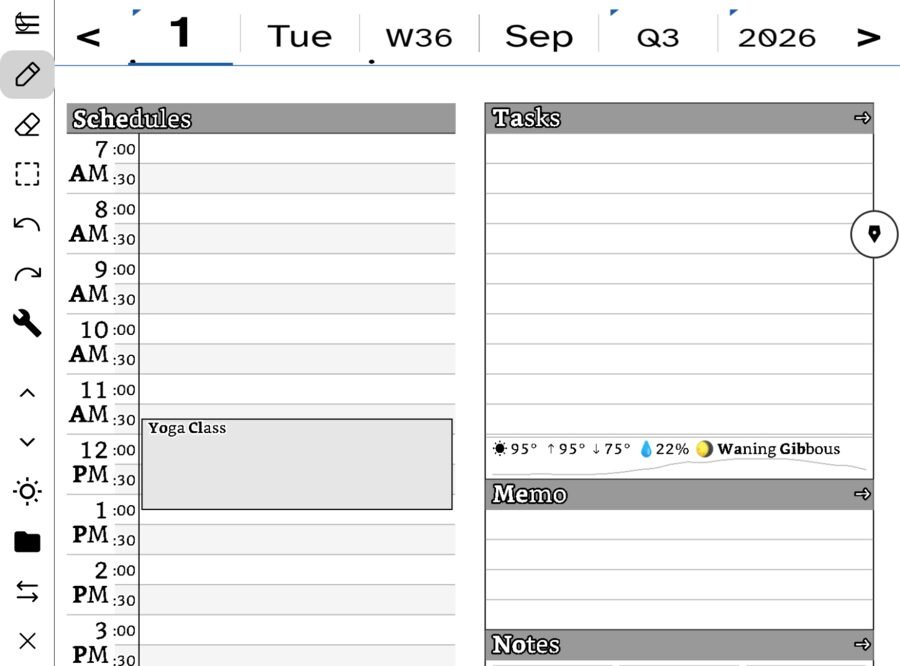
The day page
Hours down one side; tasks, memo and notes down the other. Ink stored as strokes, not pixels.
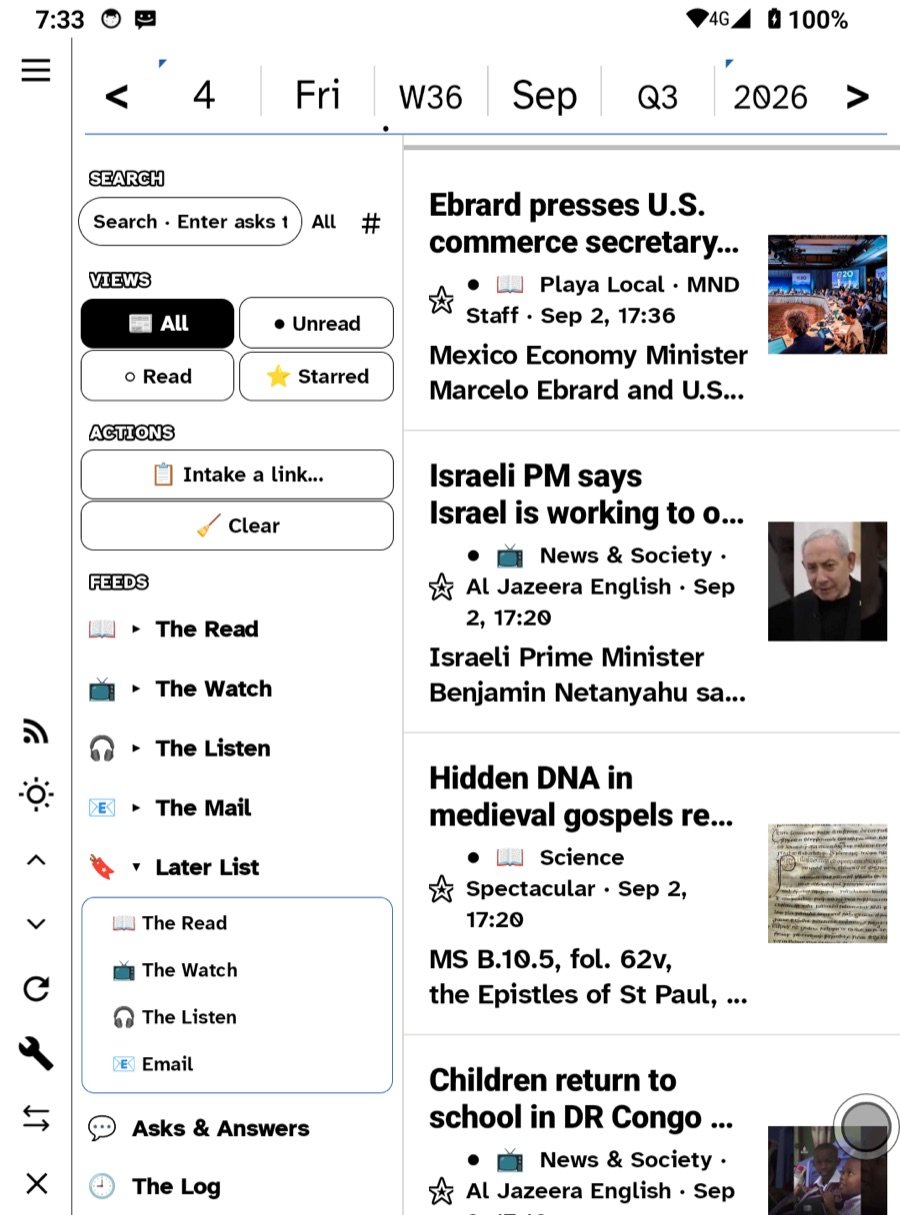
Feeds, mail, Bluesky
Your own sources in one quiet room. A Miniflux server, or no server at all.
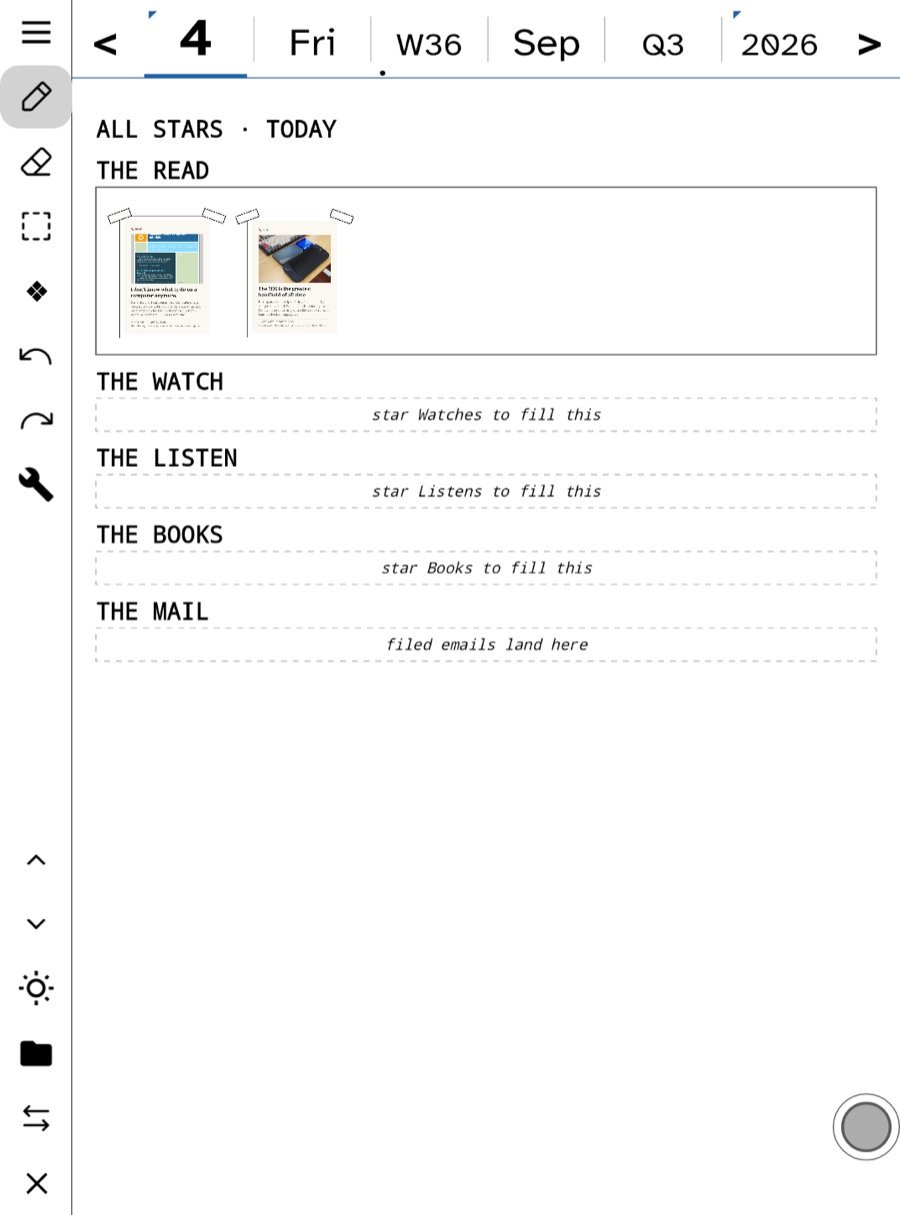
All Stars
Star a few things a day. They gather by kind: The Read, The Watch, The Listen, The Books, The Mail.
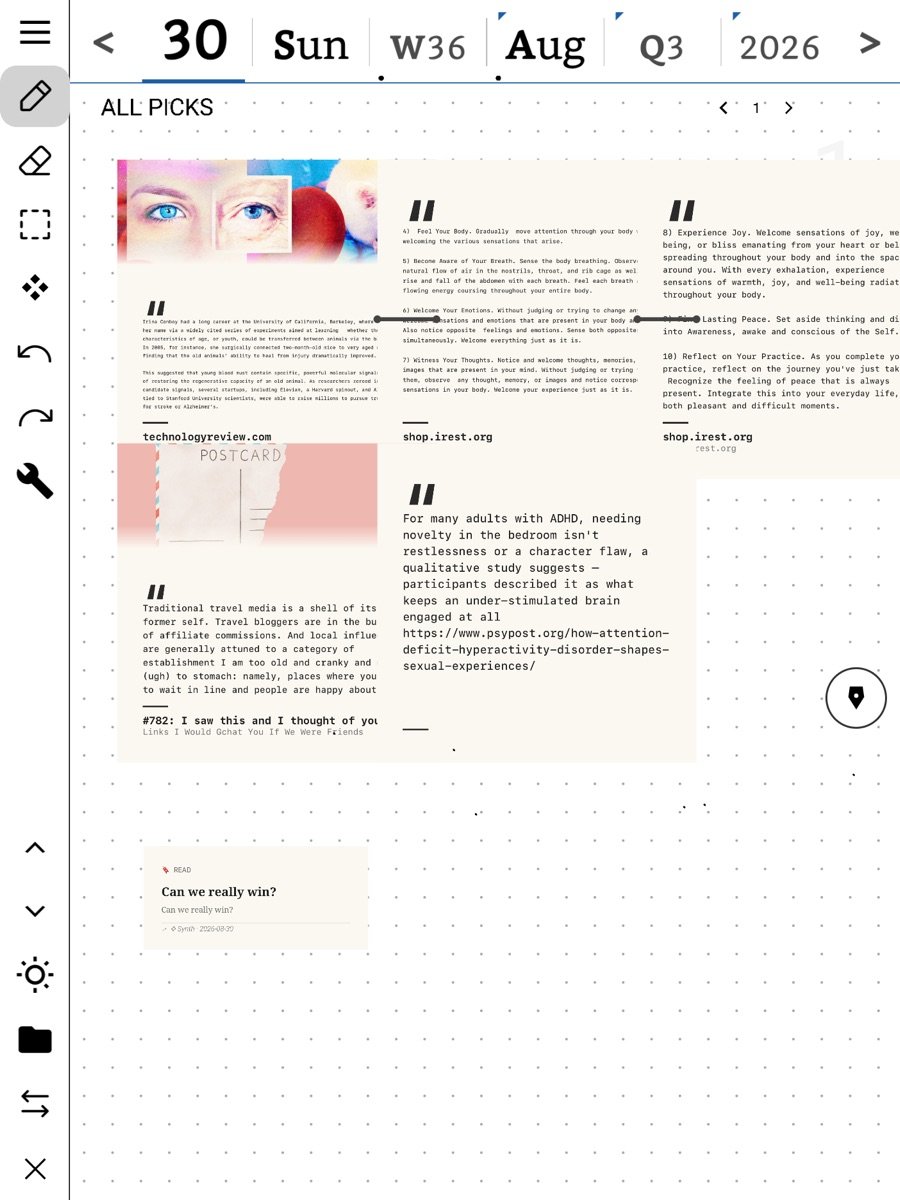
All Picks
Quotes, links, crops and photos you pulled out of things, each one remembering where it came from.
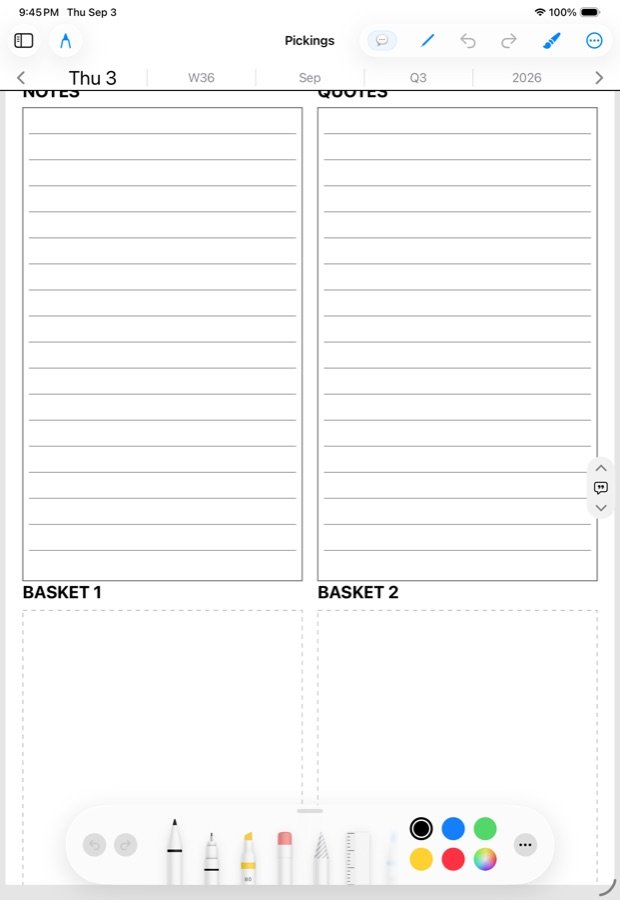
Notebook and Pickings boards
Every note in one flat list. Lined, grid, jot, text, or a Pickings board seeded with a quote.
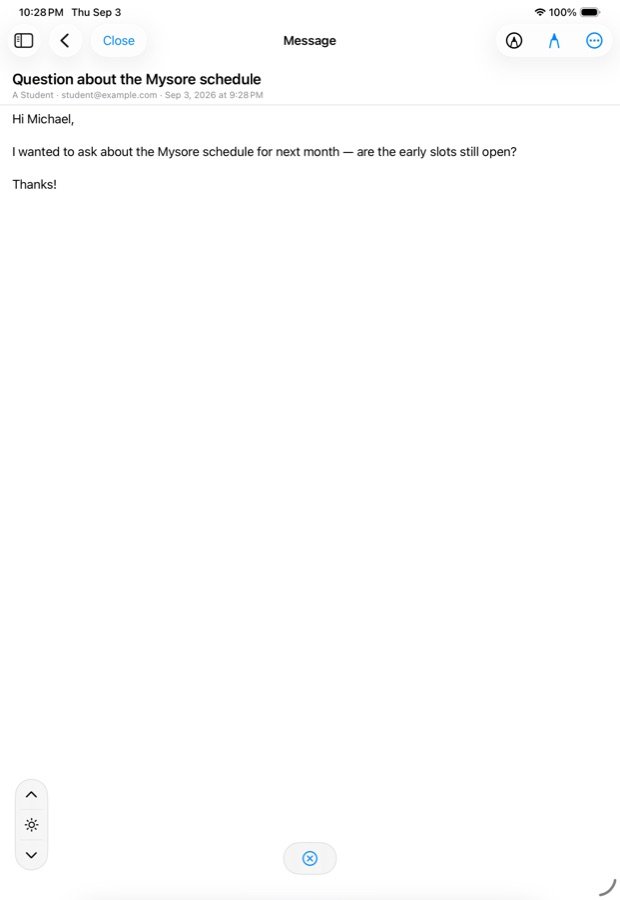
Letters you can act on
Star a letter into a task. Send it to All Picks. File its links to Later. Reply by hand.
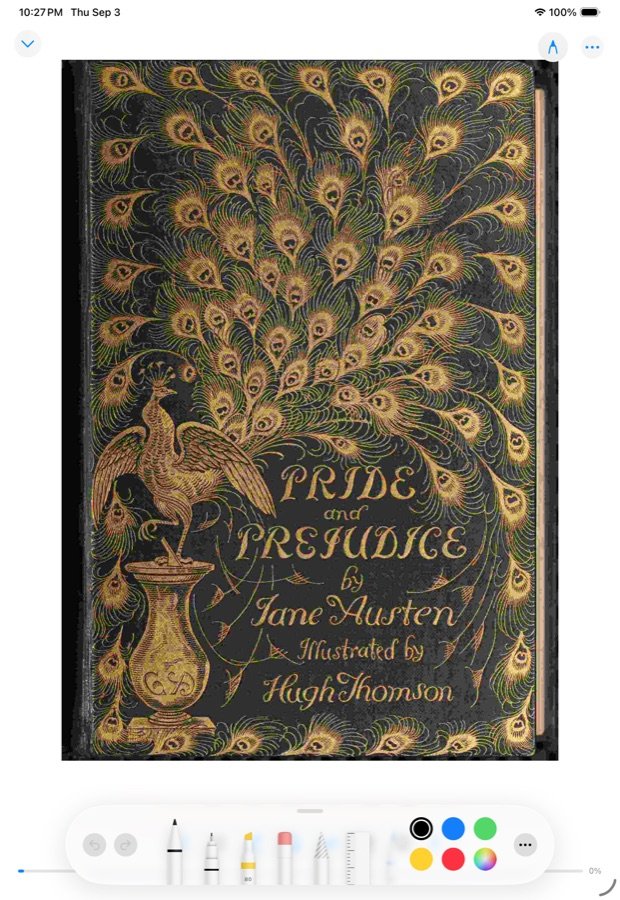
Books and comics
EPUBs, PDFs and comics. Position synced everywhere; panels and balloons indexed.
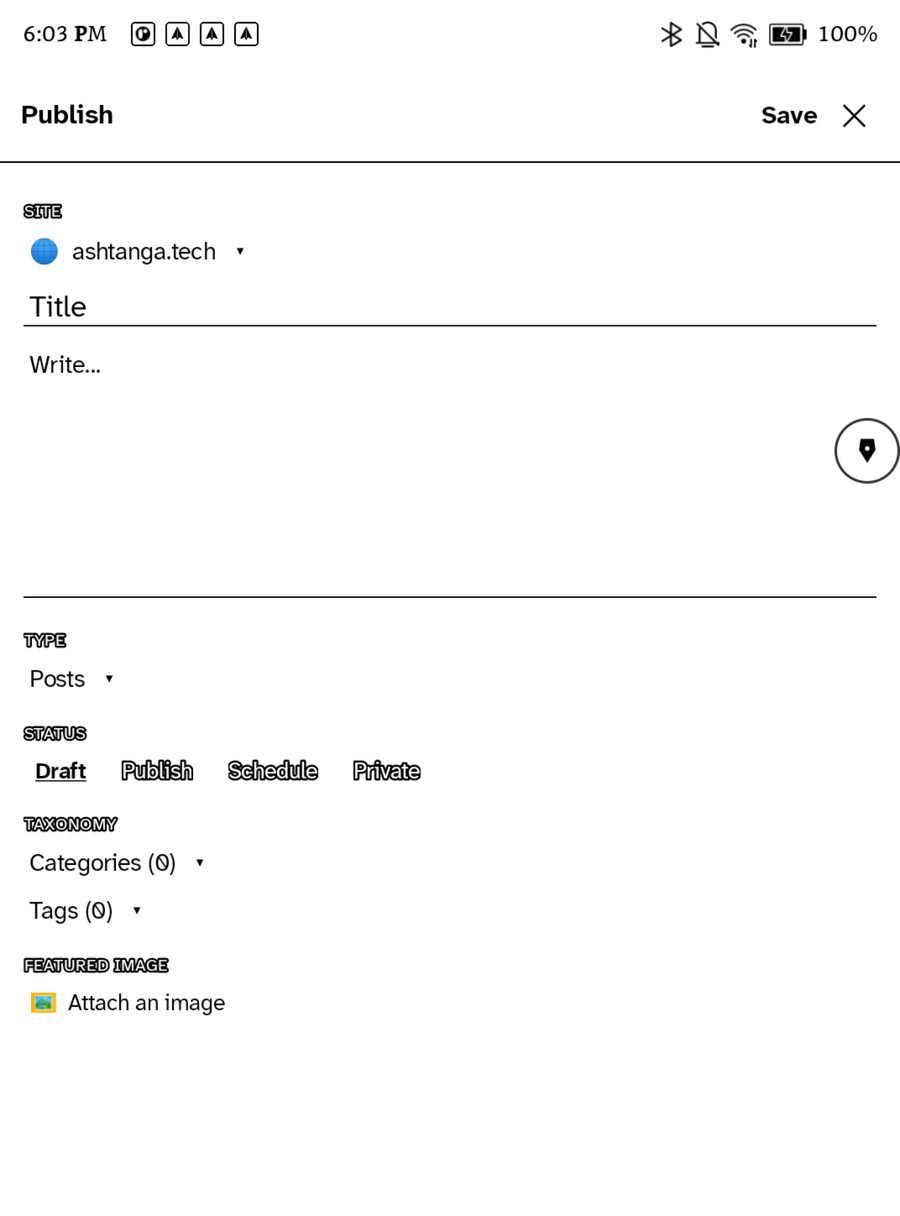
Your own site
Publish a handwritten page to a WordPress you own. Run your own ledger and join the directory.
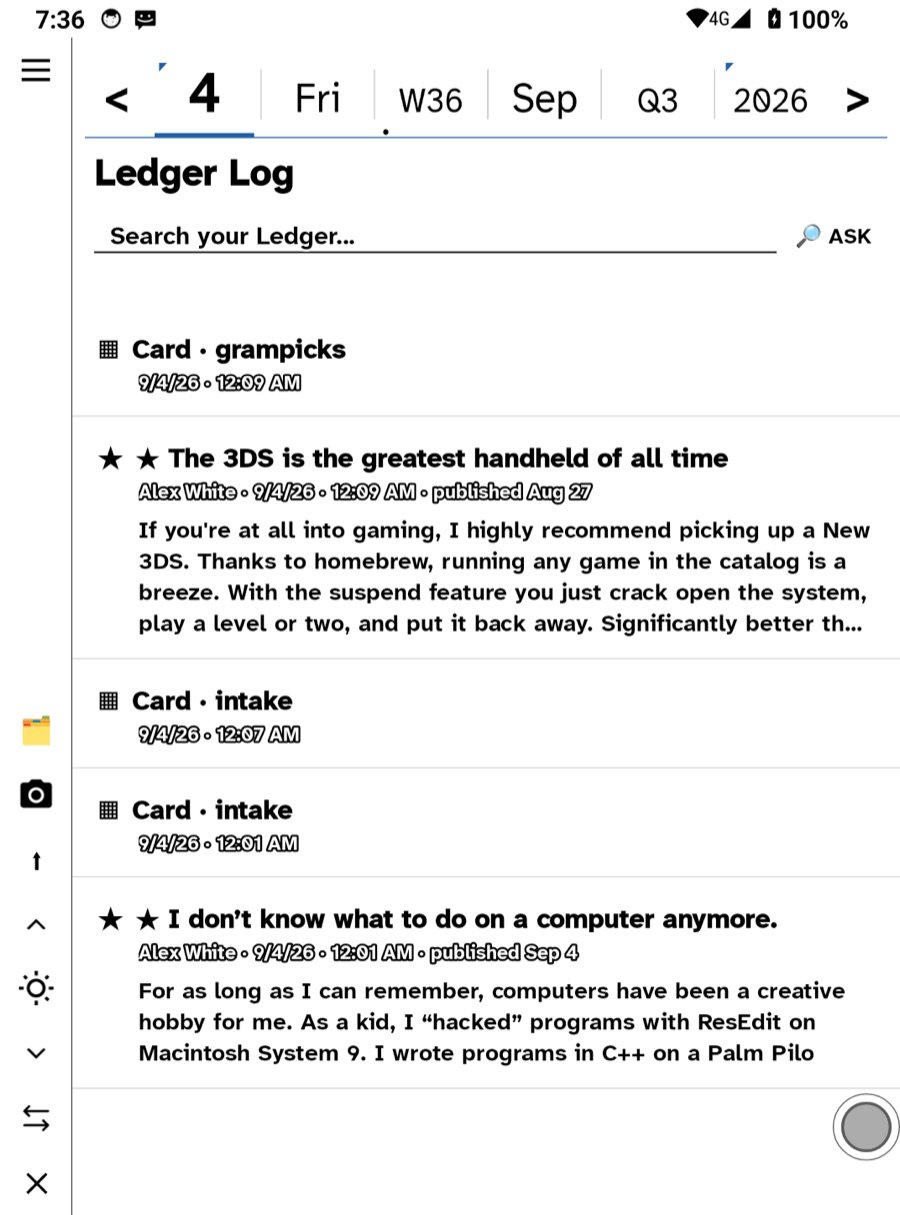
Ask my Ledger
Questions answered from your own writing and reading, with your own key. The Log keeps the minute you read each thing.
Write on what’s in front of you. That’s the whole idea.
All of your ideas together, with all of their sources and connections deeply and automatically interlinked, lets your creativity be leveraged into bold, transcendent new ideas. Ideas on an index card, throw ’em in a box. Come back and play. Simple. Easy to do. LOOOOOW friction. Fun. Cute. Cozy.
Not a folder tree. Not an infinite canvas. Not seventeen notebooks you feel guilty about. A day — with hours down one side and room for whatever happened down the other. You write on it with a pen, the way you would on paper, because that turns out to be the fastest interface anyone ever shipped.
The device on your desk shows this morning’s handwriting instead of an app icon. It is a notebook left open at today’s page.
🕯 Cozy
Paper texture under real ink. No notifications, no infinite anything, no little red numbers. A river of what your friends wrote, in the order they wrote it. It ends, and then you have finished reading, and you put it down.
🔥 Transgressive
Every word lands on hardware and a domain you control. Import fifteen years back out of Meta. Publish without asking. Run your own directory. Nobody can delist you, throttle you, or hold your archive hostage — because nobody else is holding it.
On every screen you own
The same page on an e-ink tablet, an iPad, an iPhone and an Apple Watch. Not a “companion app” — the same rooms, the same files, the same handwriting. Write on one at breakfast and it is on the other by lunch.
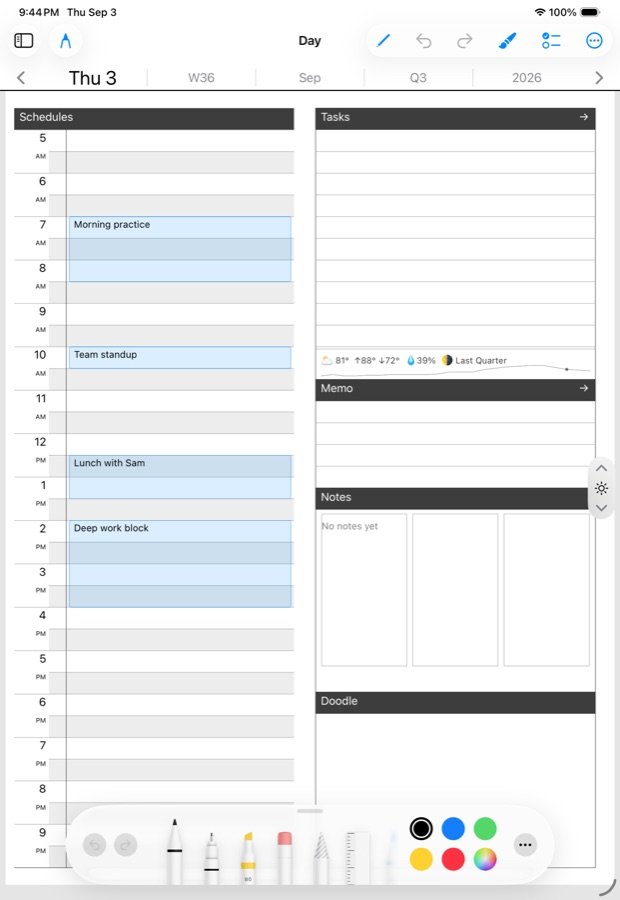
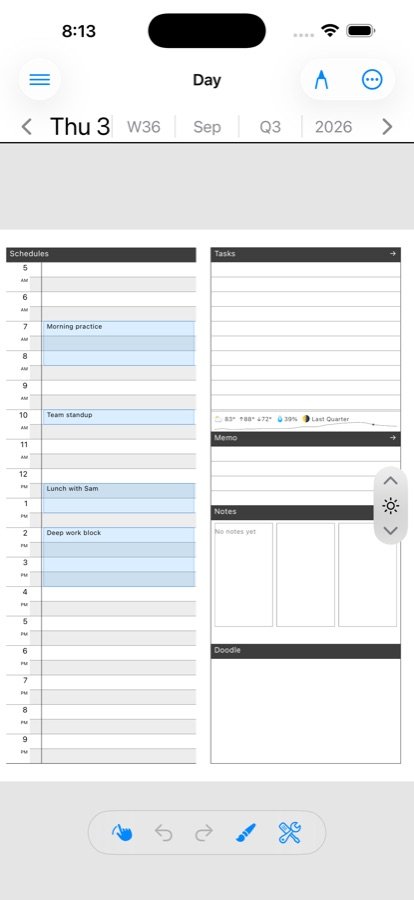
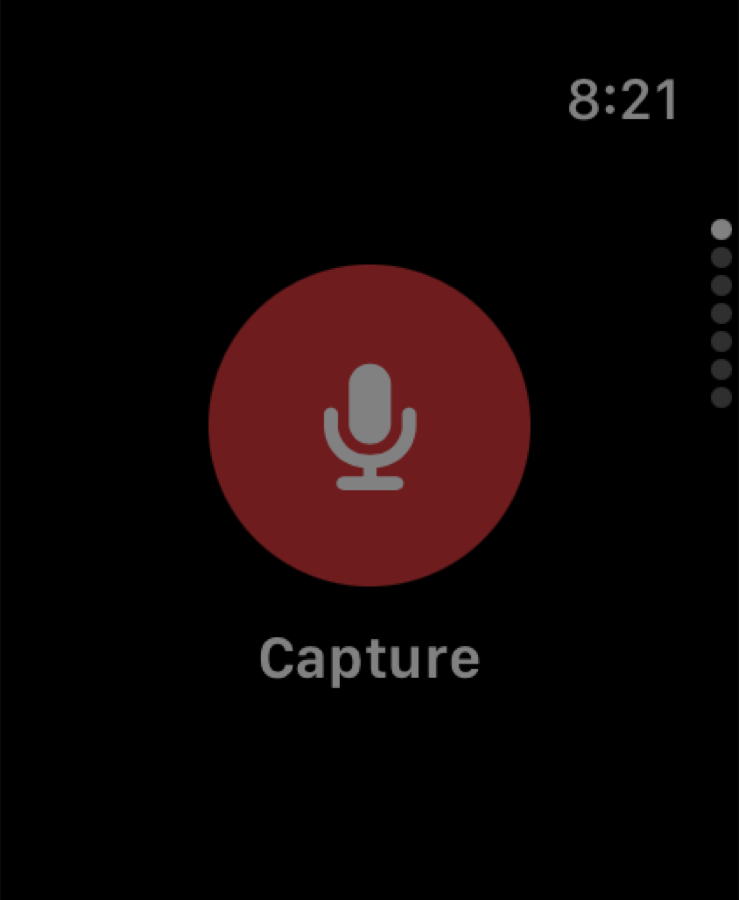
Everything is one tap away, and it’s the same tap
The Hub. Eight doors, top-left, on every screen. Learn it once and you have learned the app.
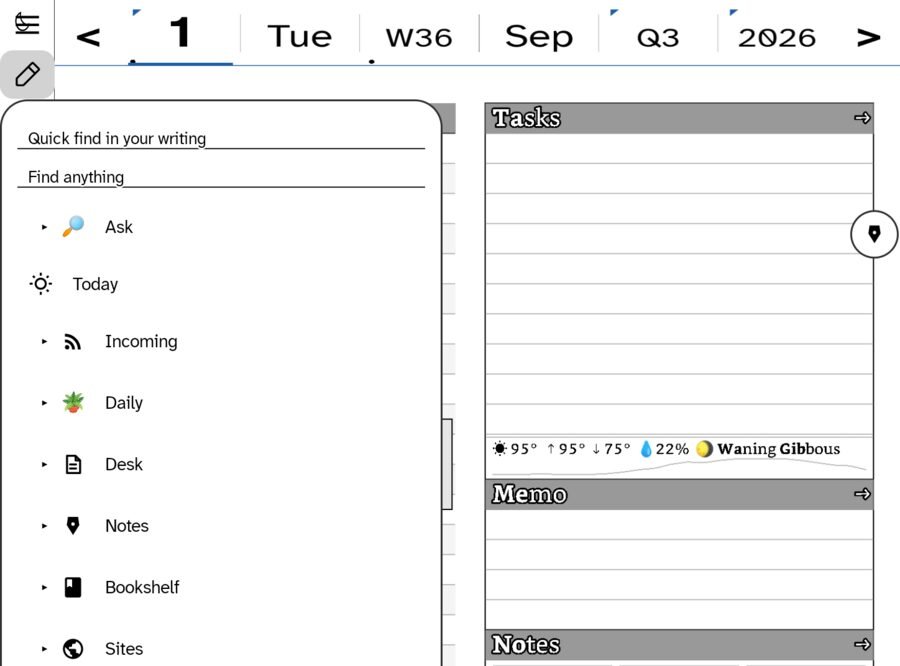
And two searches that mean different things, which matters more than it sounds: Quick find in your writing looks through your ink. Find anything looks through everything you have read and filed as well. Your own words never get buried under the internet’s.
Write on whatever paper suits the thought
Lined for sentences. Squared for diagrams. Blank for the thinking that lines get in the way of. Templates are paper, not folders — a grid note and a lined note sit in the same ledger, on the same date, found the same way.
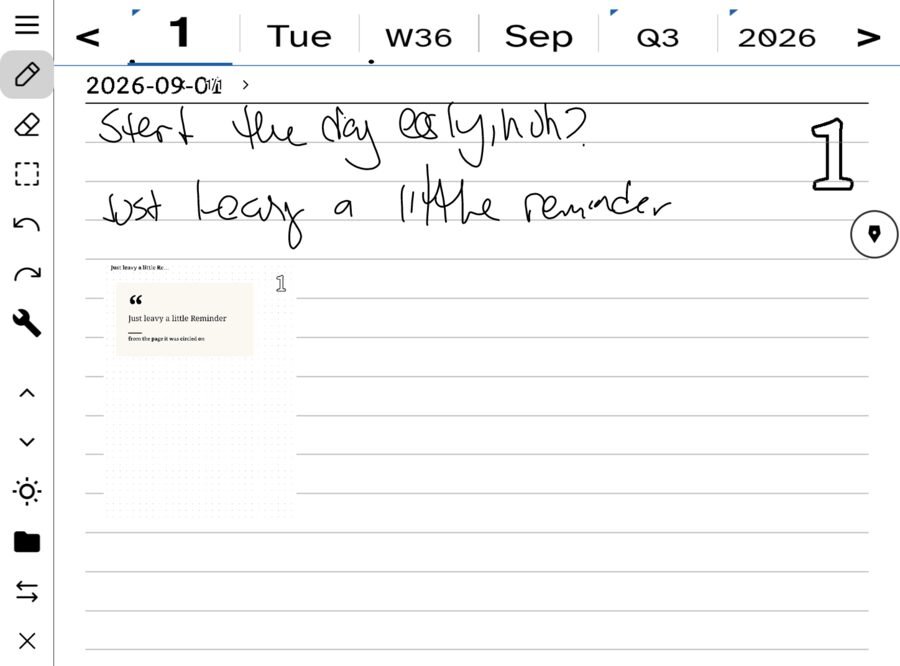
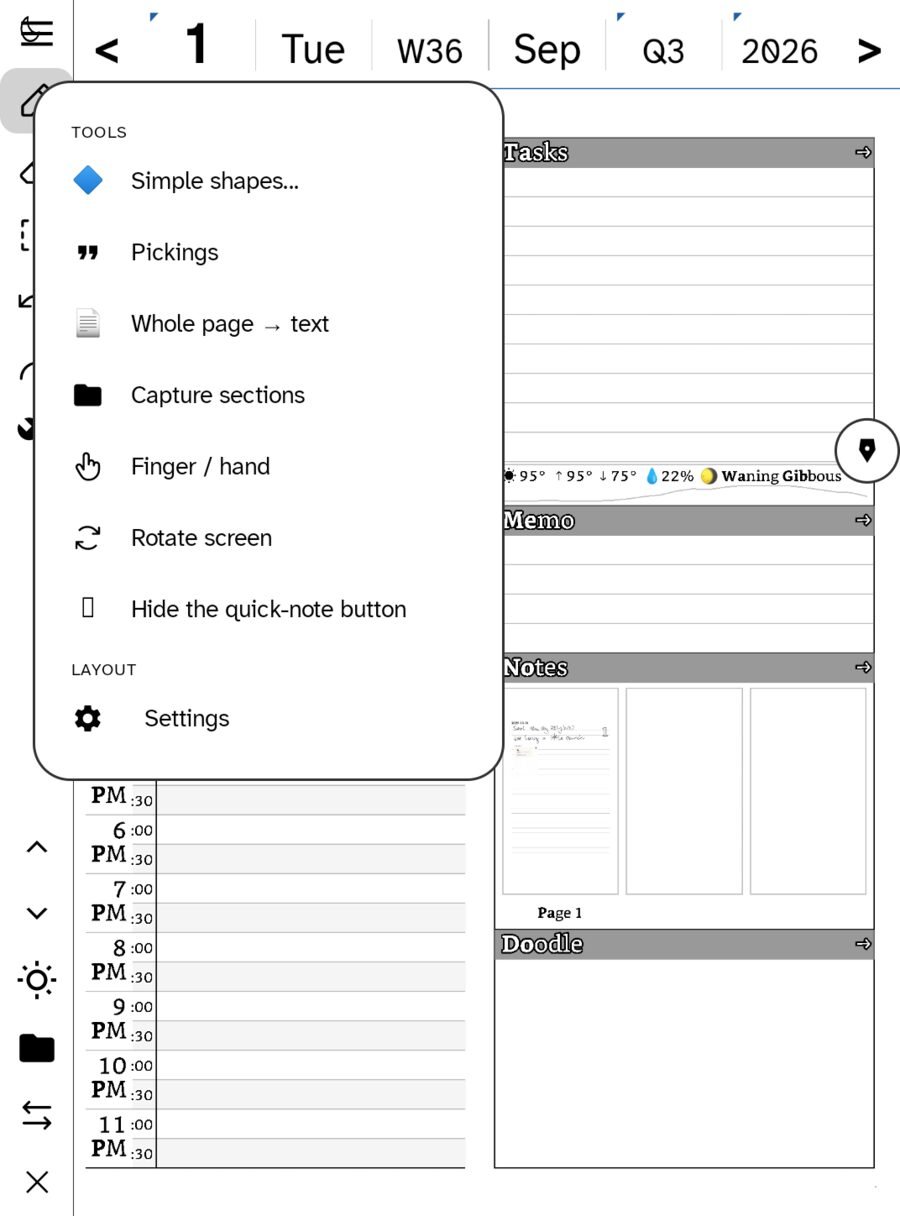
The tools live in one narrow rail at the left edge, always in the same place, so your hand learns it and your eyes stop needing to. When you want nothing between you and the page, Tuck away collapses it to two slivers and the page runs edge to edge.
The day, organised — and every distance out from it
Hours down the left. Tasks, memo, notes and a doodle area down the right. Weather and moon along the bottom, because in two years those are what put you back in the room.
Tick a task and it stays ticked — the mark is remembered, not redrawn. Appointments arrive from your calendar or get written straight onto the page. Every zone takes handwriting; you are not filling in a form.
Then the almanac strip across the top — ‹ 1 · Tue · W36 · Sep · Q3 · 2026 › — zooms you out. And zooming out isn’t a smaller calendar, it’s a reading view: the week shows what you actually wrote, gathered by day, with the tags that connect it.
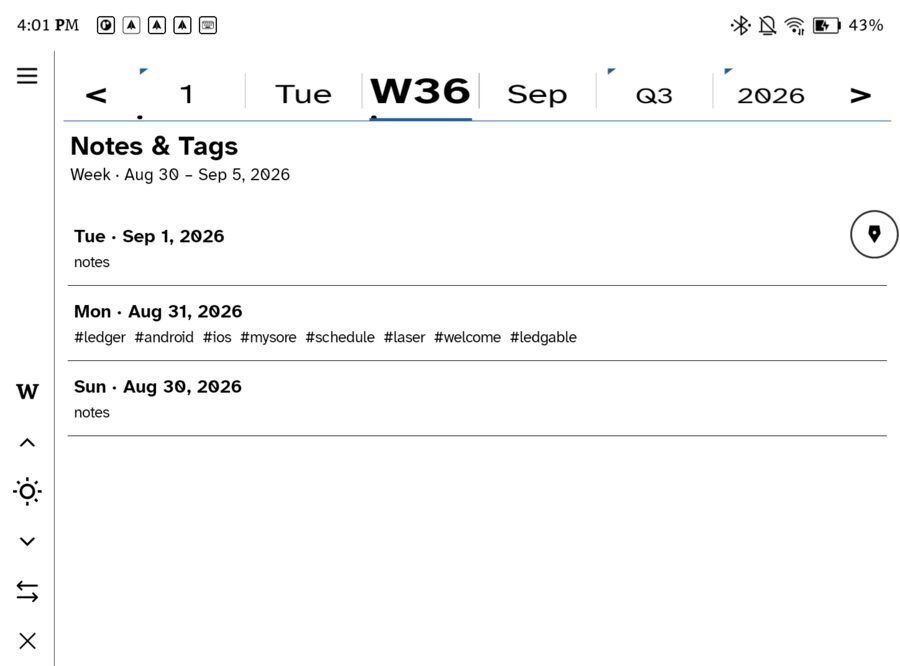
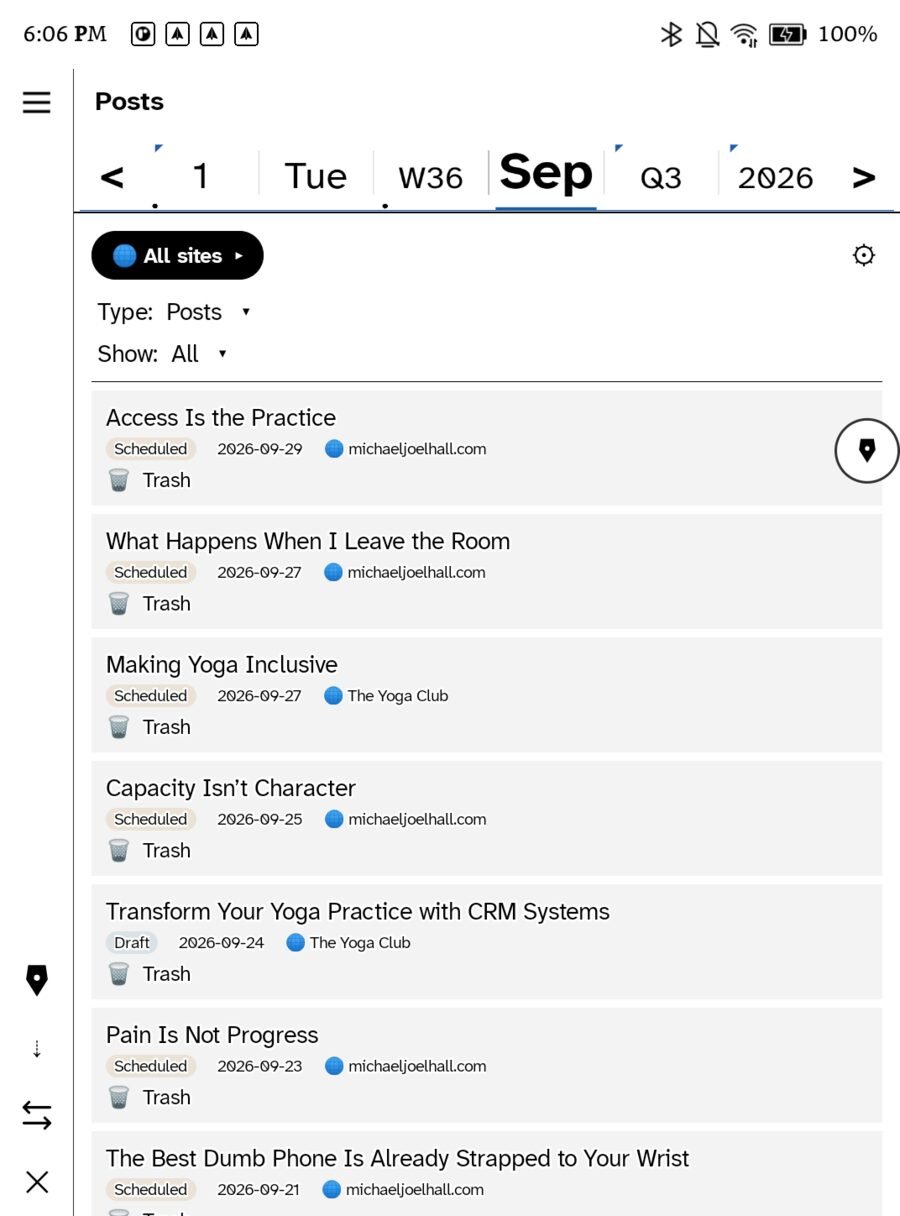
Here’s the clever bit: that same strip is the filter everywhere else. On mail, on feeds, on your bookshelf, on your posts — it means “show me this period.” One control, learned once, working on every screen. Surfaces that used to have their own little date pickers gave them up for it.
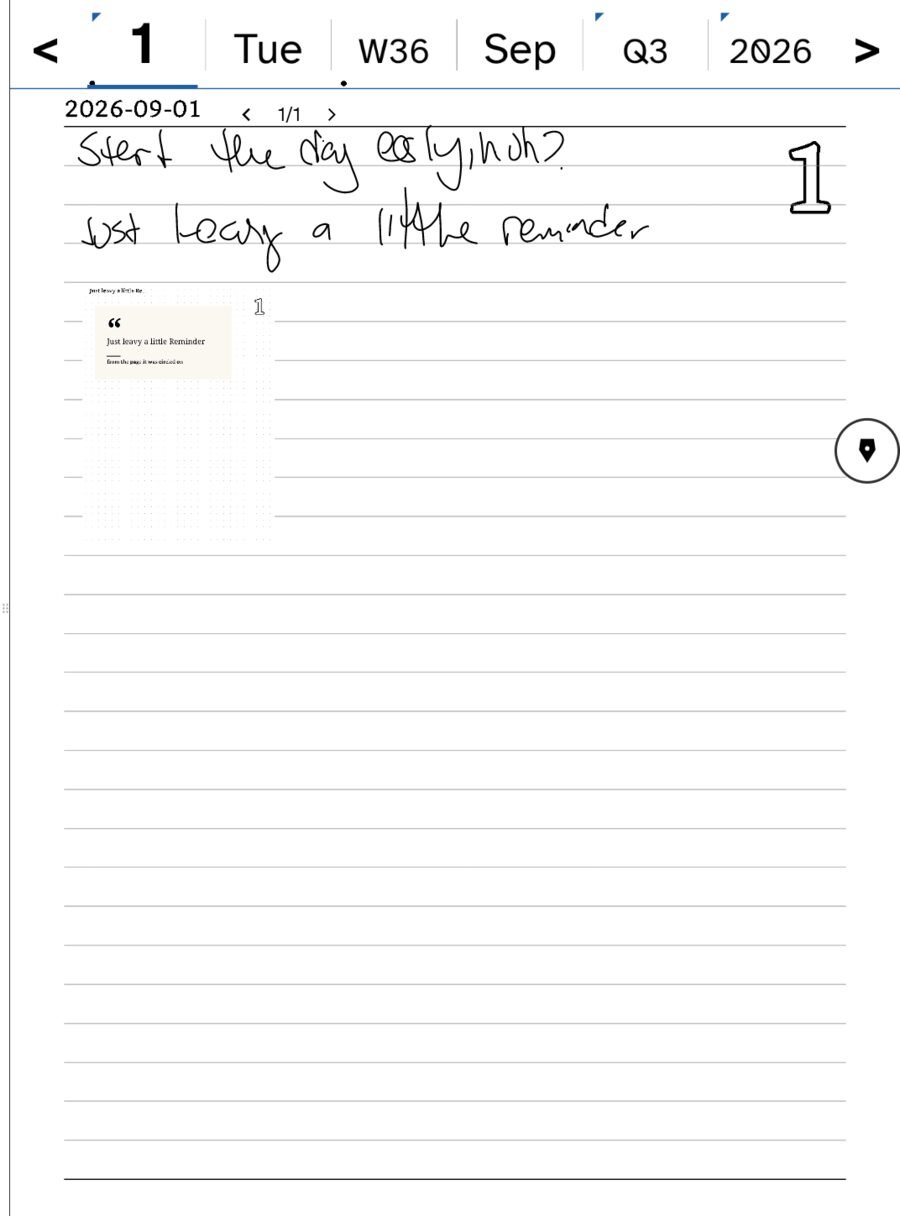
And the most-used shortcut in the app: Notes — where you left off, sitting on the day page. It reopens the exact page you were last writing on, because remembering where you were is the thing paper never asks of you.
Your day is the front page
Not an app you open and then navigate. The first thing you see is today, already filled in.
- Your schedule, synced. Real appointments from Apple Calendar and any Google or Exchange account you’ve added — plus CalDAV. Laid onto the hour grid, not in a separate calendar tab.
- Your tasks. Tick one and it stays ticked; the mark is remembered, not redrawn.
- Your memo. The loose thoughts that belong to the day rather than to a project.
- Your doodles. Yes, really — a drawing area on the page, because some days that’s the note.
All of it on one page, in your handwriting, with the weather and the moon along the bottom.
Read. Star. Pick. Write. That’s the loop.
Ledgable is a feed reader, a clippings pile and a day planner that turn out to be the same object. Here is how a thing you read becomes a thing you wrote.
Incoming
Feeds, mail, Bluesky and podcasts arrive in one room. Read what you want. Star what mattered.
All Stars
Today’s stars, gathered by kind. A short list that ends.
All Picks
The quotes and clippings you pulled out. The pile you sort from.
Today’s note
Picks placed beside your own handwriting, on a dated page. Then it goes somewhere.
Under Daily in the sidebar, the day is a walk of pages in a fixed order: Today → All Stars → All Picks → today’s note. Section-down on the rail steps through them. Read what you starred, sort what you picked, then write. The same walk exists for the week, the month, the quarter and the year, so “what did I actually read in June” is one tap on the almanac strip.
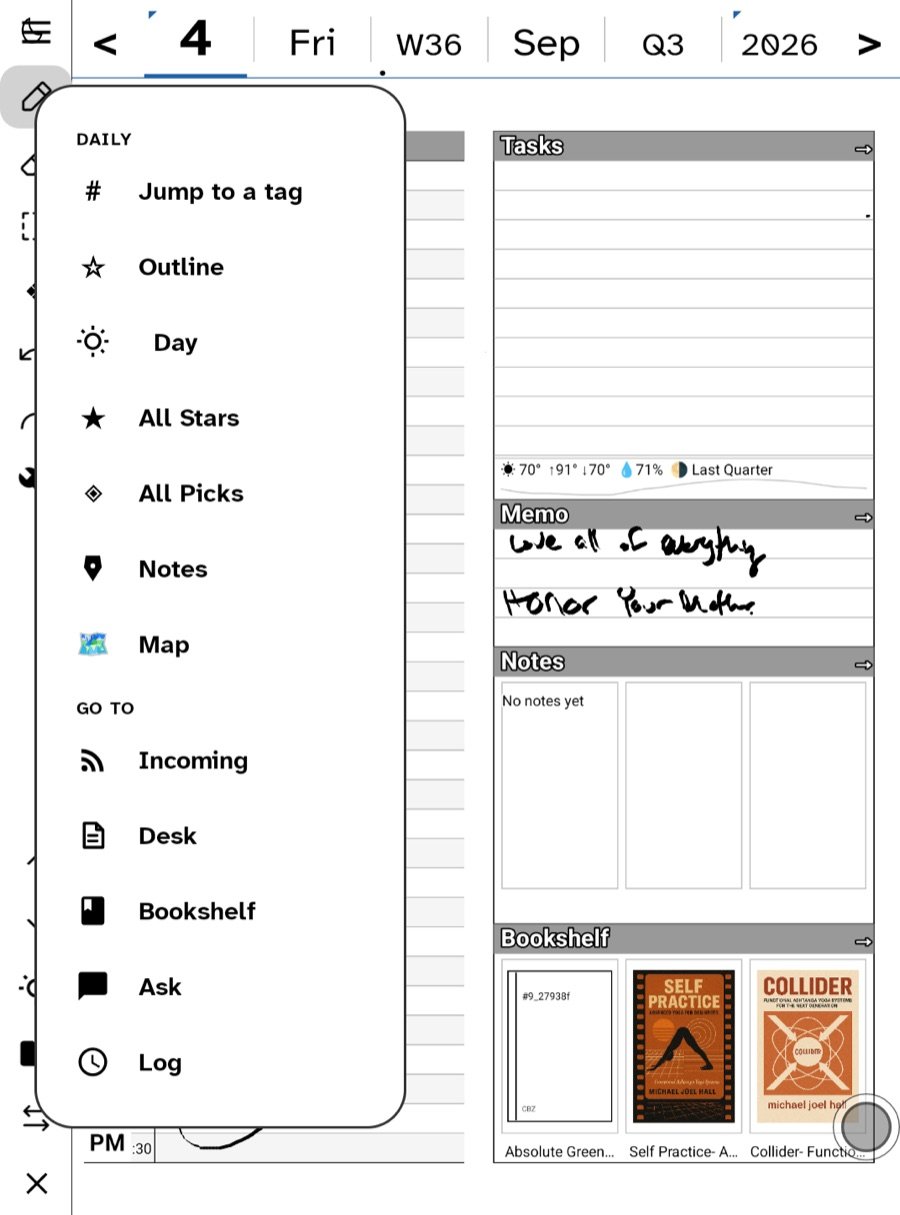
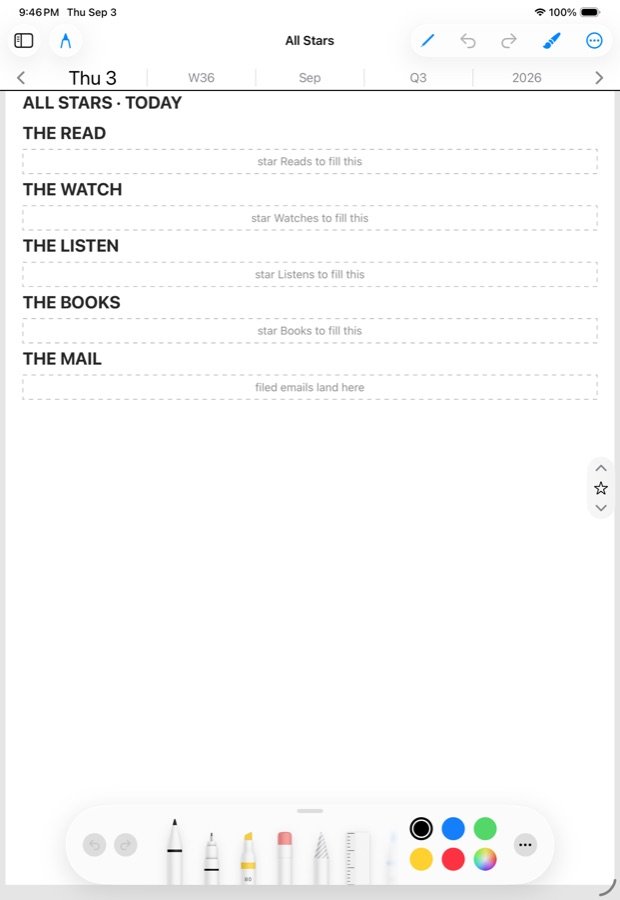
Incoming: one unified inbox, and the firehose turned down to a faucet
All your mail accounts, all your feeds, newsletters, YouTube, podcasts and Bluesky in one room, with one search and the same four views. Your only news source shouldn’t be Facebook, or an algorithm optimising for how long it can keep you upset.
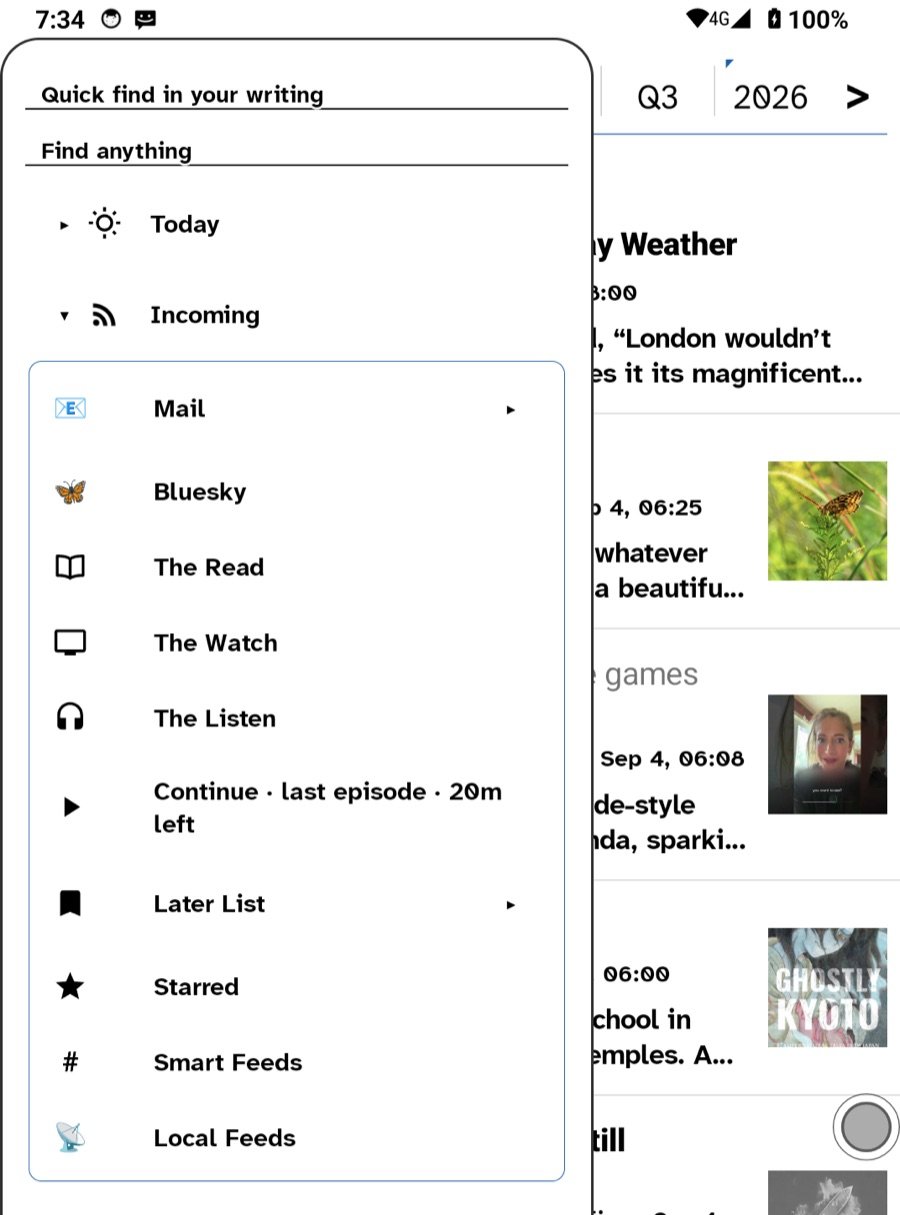
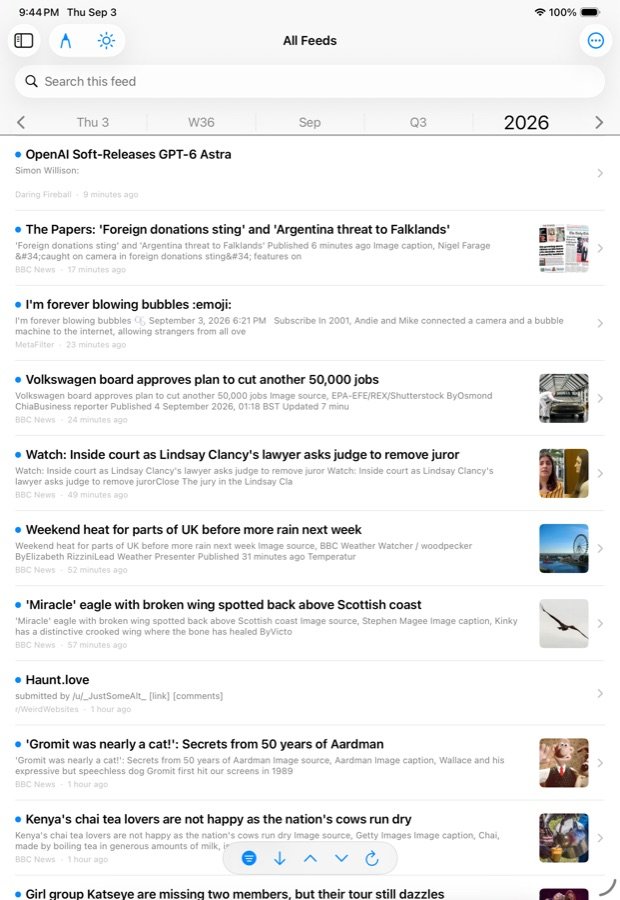
Bring your own feeds. Point the app at a Miniflux server, yours or hosted, and every device agrees about what’s read and what’s starred. Or add Local Feeds with no server anywhere: the device fetches them itself, and they ride along to your other devices as a small side file that no account ever sees. Both can run at once.
- Sorted by the attention it wants. The Read, The Watch, The Listen. Podcasts live in The Listen with chapters, a queue and a sleep timer; a ▶ Continue row in the sidebar picks up the last episode where you left it.
- The same controls everywhere. Search scoped to everything, this feed or this category. Four views: All · Unread · Read · Starred. Two actions: Intake a link to paste something in, and Clear to mark the lot read, with Undo.
- The Later List is a feed too. Hold a link anywhere and send it to Later. It has its own address you can paste into any other reader.
- No ads, ever. The readable copy of each article is what you get: the text and the pictures, with the page’s ads, pop-ups and trackers left behind. Feeds that only carry a teaser can be set to fetch the full article.
- Reads offline. Feeds fetch on a cycle and keep the readable copy, so what arrived at six reads on the train at eight. There is never a badge count on the icon.
Never built a feed list? Finding RSS feeds shows where feeds hide on every kind of site, YouTube as a feed turns any channel into a subscription, and Music, podcasts and audio covers The Listen. Would rather start from a list a person already sorted? MichaelFilter is a curated ledger of 180-odd feeds you can plug straight into Settings › Feeds.
It turns the firehose into a faucet, and strips out all the commercial crap.
And here’s what makes it a genuine organiser rather than just another reader: the almanac strip runs across the top of it too. The same control you use to move through your days scopes your reading. Today’s pile, or this week’s, or what June actually held. Your incoming stuff becomes navigable by time, the same way your writing is. One mental model for the whole app.
The reader is where the loop starts
Open an article and the verbs are on the rail: star it, pick from it, annotate it, ask about it, have it read aloud.
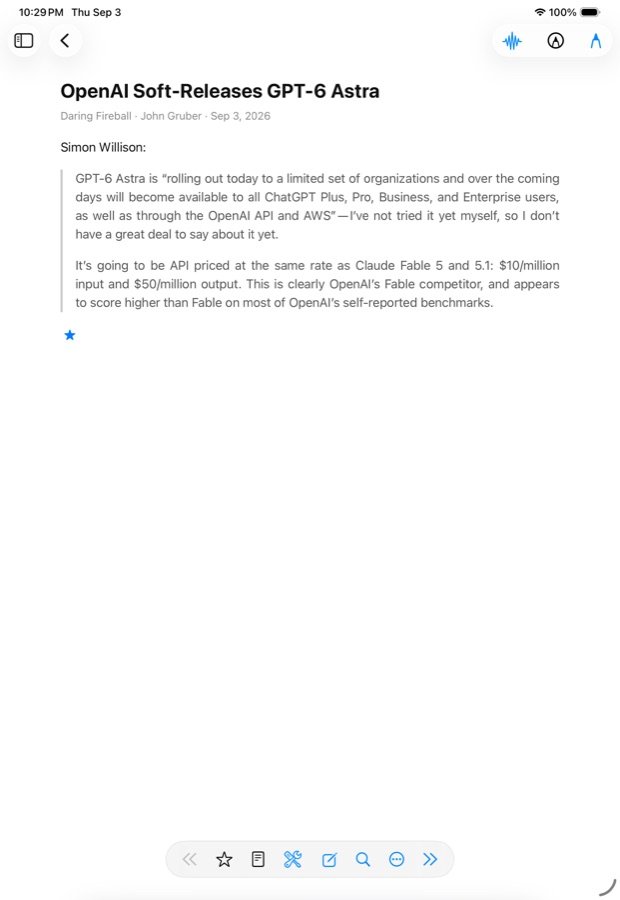
On e-ink, the volume rocker turns the page. Everywhere. Books, comics, web pages, articles, the feed list, the inbox: press down for the next screen, up for the previous, two presses to go back. No swipe, no smear, no touching the screen; a whole evening of reading with one thumb. It is the single thing that makes reading on e-ink a pleasure instead of a chore, and it works on every screen in the app. Page with the buttons.
Select a passage and choose Pick, and a quote card with the source’s image lands on today’s All Picks. Star it and it joins the day’s All Stars and the Log. Choose Synthesize · 3 questions and three questions land on the day’s Synthesize page, each with a card pointing back at the text. Nothing is copied by hand; everything remembers where it came from.
All Stars: stars are meant to be expensive
Starring is not bookmarking. It says “this one matters today,” and the app acts on it.
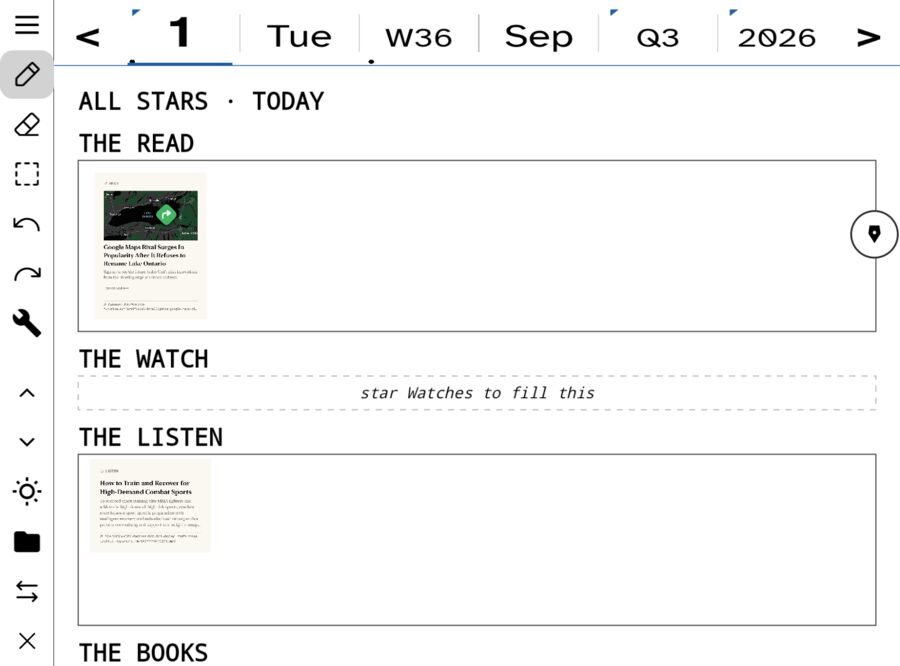
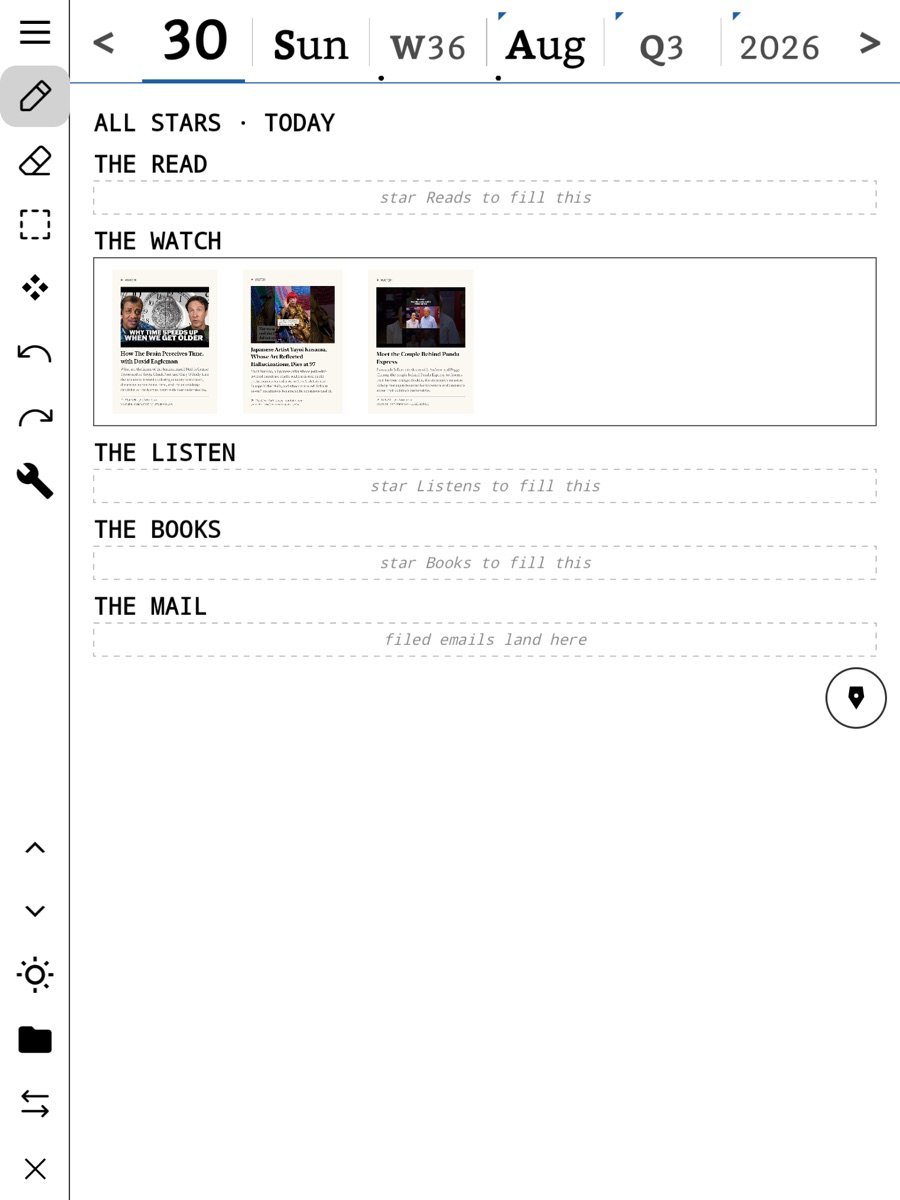
- The starred thing is kept whole on the device, so it survives the fetch window and stays readable and searchable for good.
- A starred email becomes a to-do linked back to the letter, and lands as a card on today’s page.
- A starred article joins the day’s Log and appears in All Stars for that day, then that week, then that month.
- Stars sync through your feed server, so a star on the Watch is a star on the iPad.
Star a few things a day, not everything you glance at. All Stars is a short list that ends. Each section ends, you reach the bottom, you close the device, and you are done. That is the entire design argument against the feed, in one screen.
All Picks and Pickings: the scrapbook
Reading is only half of it. The other half is what you do with what you read.
A pick is a piece you pulled onto your own page: a quote, a picture, a link card, a crop of a comic panel, a photo. Picks go to All Picks first. That is the pile you sort from. From there a pick can be sent onto a note, a Pickings board, a Synthesize page, or a task. Ways to make one:
- Select a passage in an article or a book and choose Pick.
- Hold a link in The Net and choose Pick.
- Send to All Picks on a letter in your inbox.
- Tap Pick on an article on the Apple Watch; it waits on the wrist until the phone is in range.
- Crop any part of a page, or a comic panel. Share an image or a link into Ledgable from any other app.
Every card carries its source, so six months later you can follow it back. Why you would pick something and A Pickings board for a topic walk it with pictures. Do this for a few weeks and you have a scrapbook: clippings and commentary, gathered by day, that you can then organise properly —
- By day, because that’s how it was made.
- By thread, pulling one idea across years so you can watch yourself change your mind.
- By template in the Directory — lines, jots, grid, pickings — because how you wrote it says something about what it was.
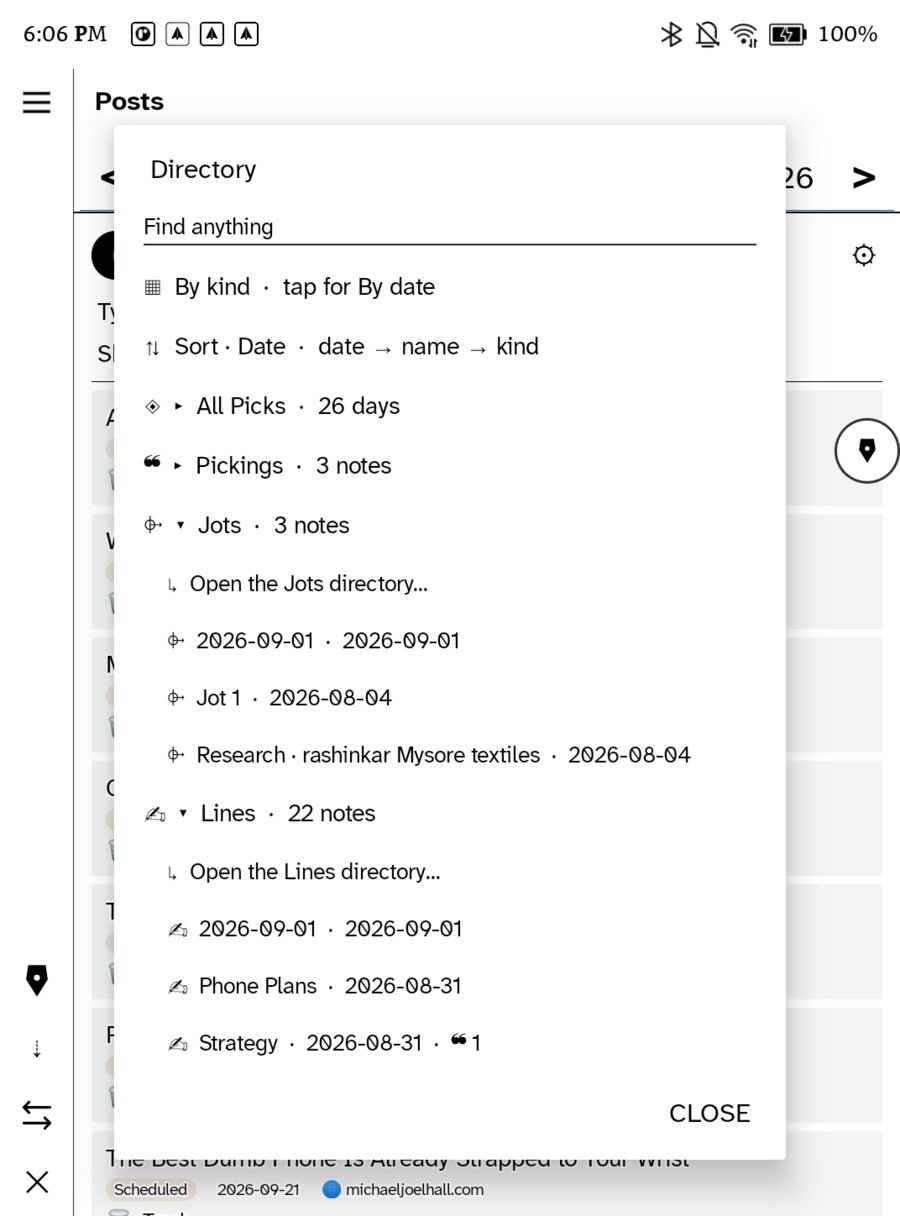
Then actually do something with it
A scrapbook you can’t act on is a shoebox. These pages have somewhere to go.
Read something in the morning, pick a quote, write around it by hand at lunch, publish it to your own domain before dinner. Never once opening a browser. How-tos: Publish to WordPress · Share on Bluesky · Share handwriting to the community.
In your own hand — which is the point now
Everything here is written by a person, and it looks like it, because it is.
We are about to spend a decade unable to tell whether anything we read was written by anyone. Handwriting is not nostalgia in that world — it’s provenance. Ink has a hand behind it. The wobble, the crossing-out, the bit where you pressed harder: that’s a person thinking, and no model produces it by accident.
It’s really from you. Not from your bot assistant.
Your pages keep the strokes, not a picture of them — so they stay sharp at any size, and the words are still searchable when you need them. You get both: the readable text, and the evidence that a human made it.
Everything that arrives, in one quiet place
This is the part people don’t expect, and it’s the reason the app replaces four others. Your mail, your feeds, Bluesky, and the things you set aside — one inbox, one set of controls.
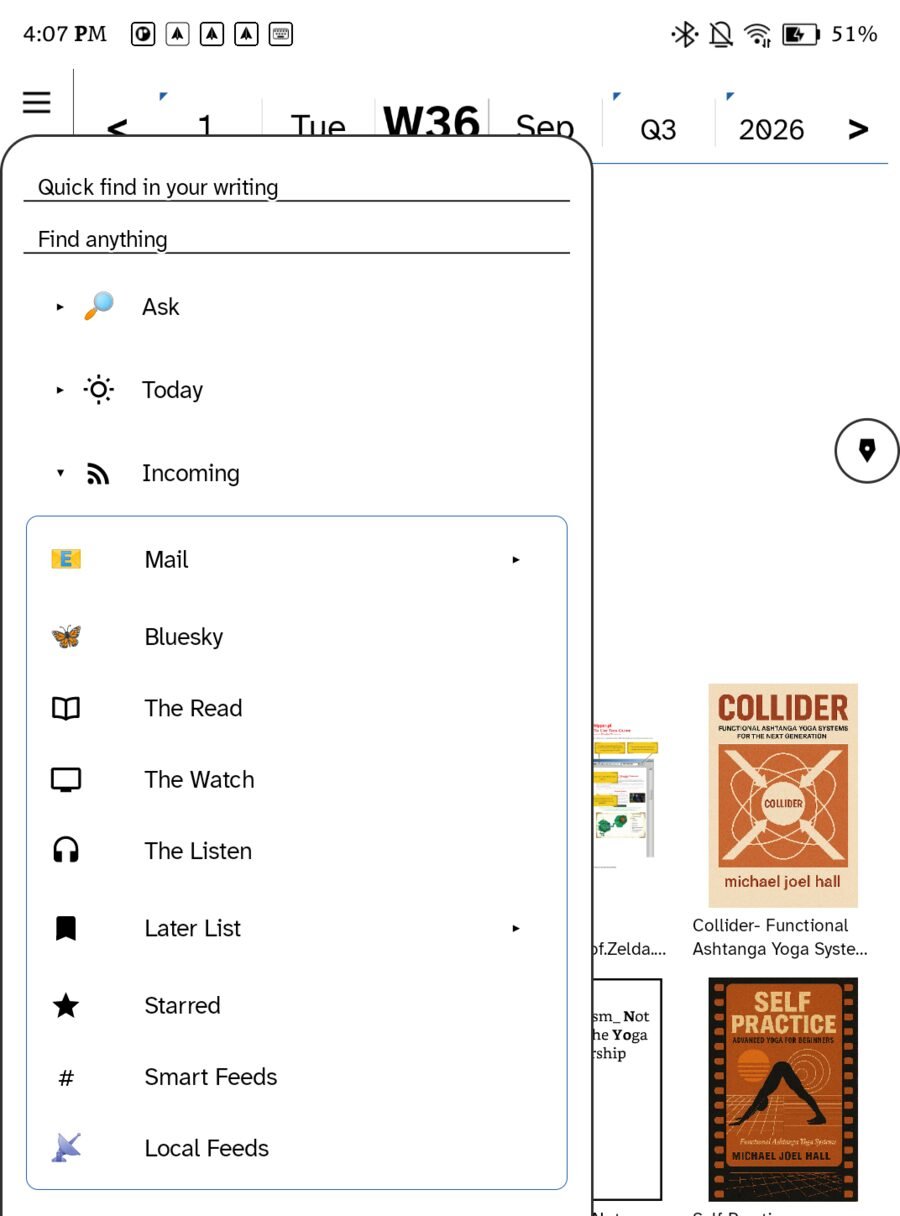
Email is not a separate app bolted on
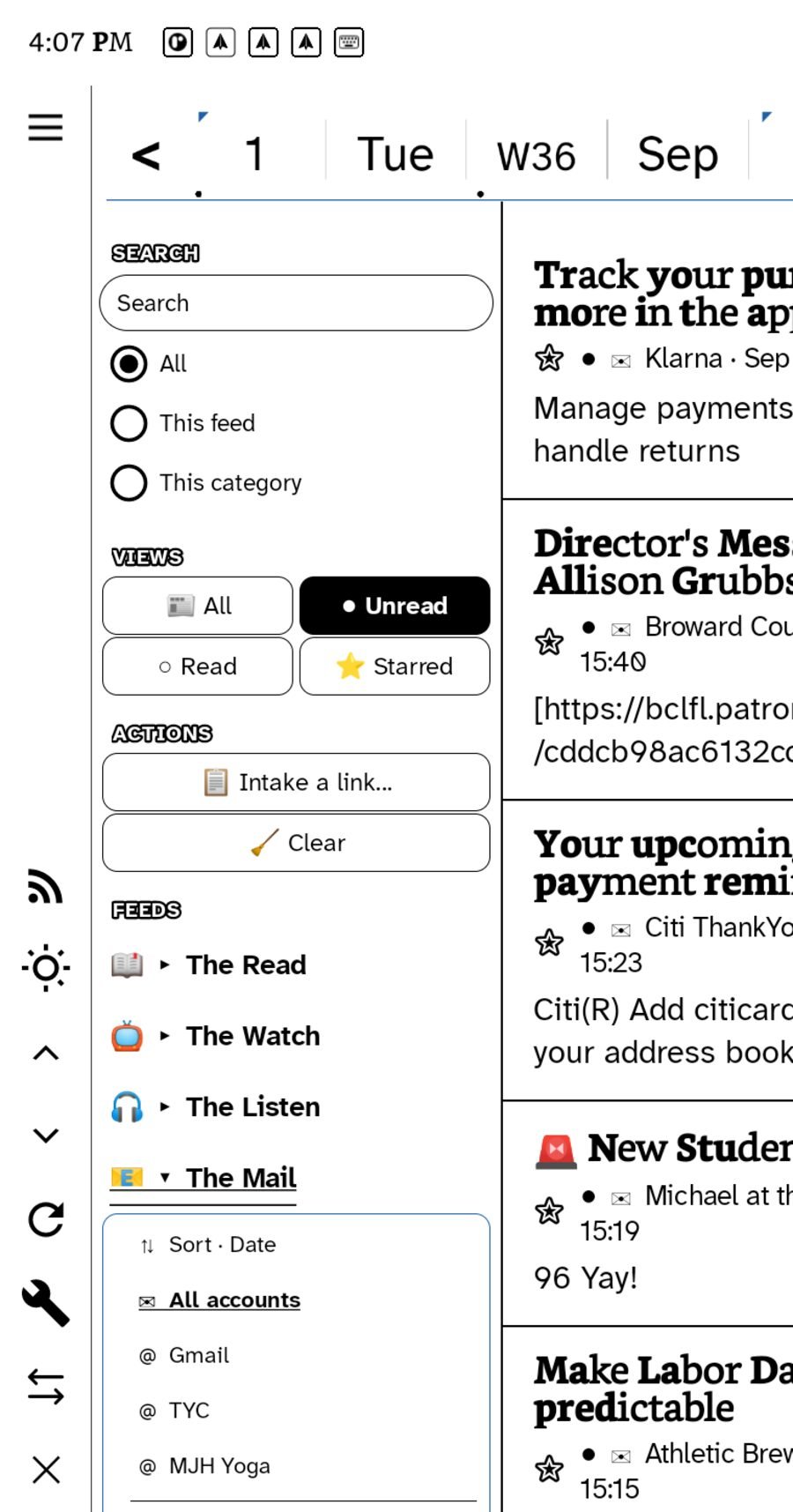
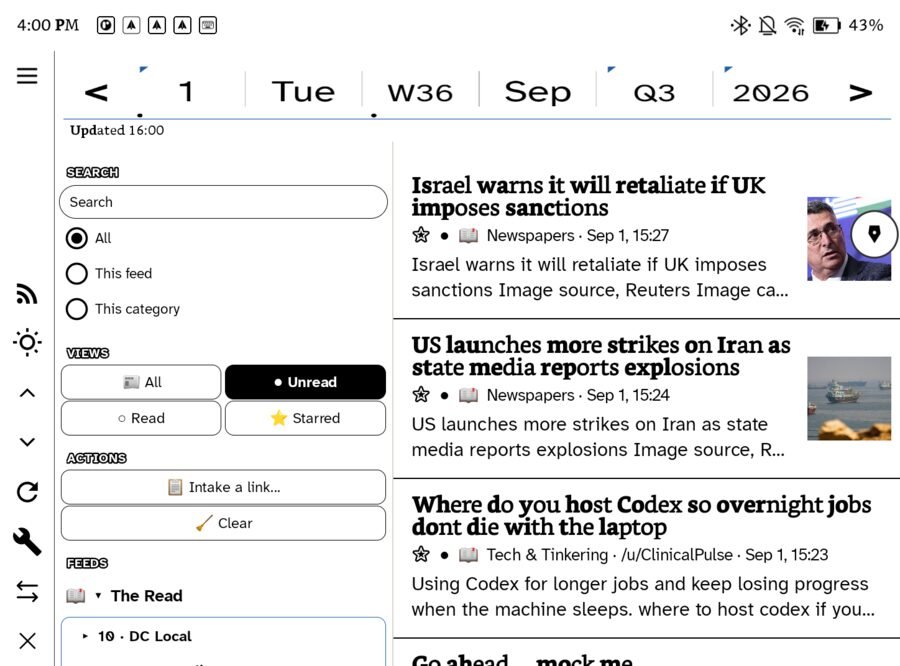
Your mail sits in the tree next to The Read, The Watch and The Listen. It gets the same filters, the same starring, the same Later List. Which means an email you want to think about and an article you want to think about end up in the same place, treated the same way — instead of in two apps with two different notions of “later.”
The actions are the ones a reader actually needs: Intake a link to paste something in from elsewhere, and Clear to mark the lot read and start fresh without guilt.
A bookshelf that knows what you’re reading
Books are a first-class surface here, not a viewer someone bolted on at the end.
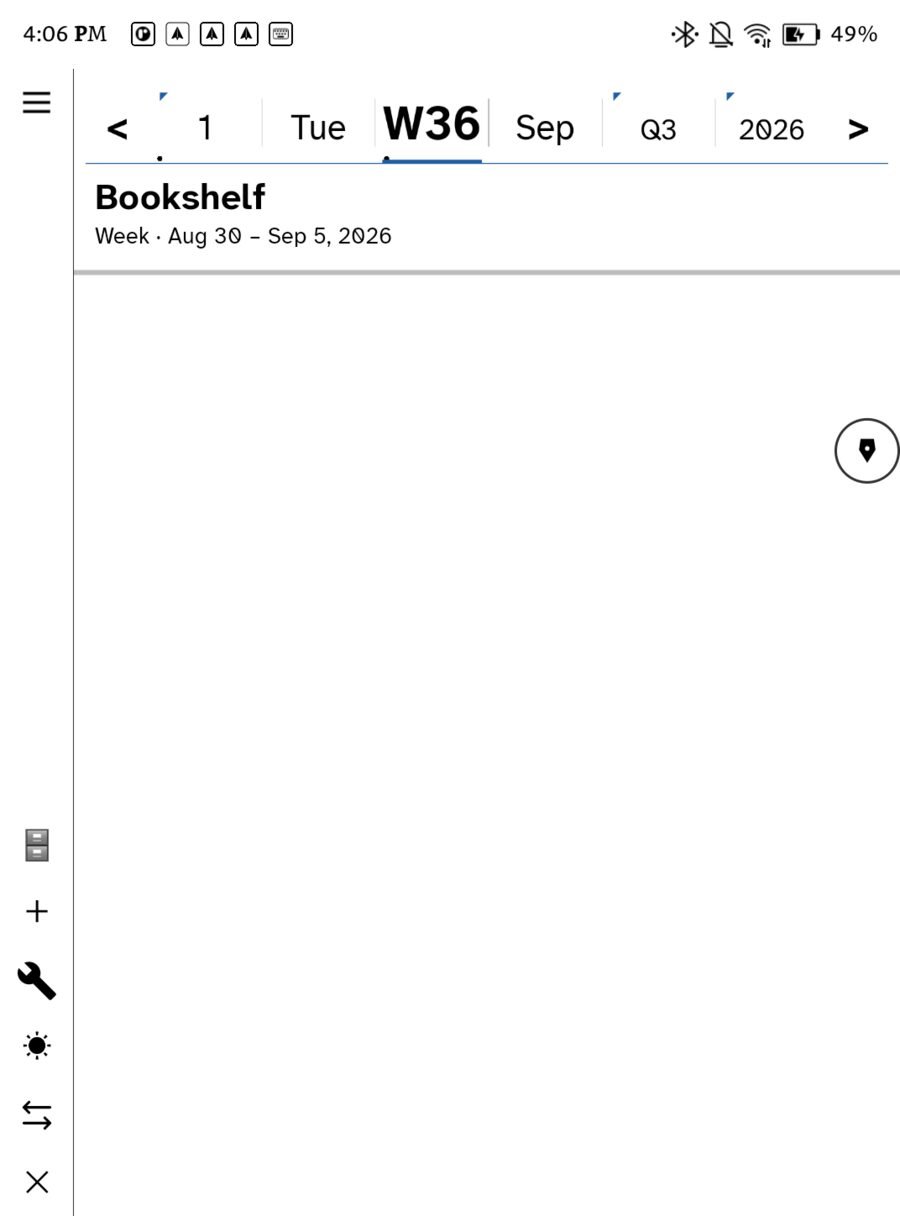
Two bands, and the difference is deliberate. Read this period follows the almanac strip — change the period and it changes with you. All books deliberately does not, because you don’t want your library to empty because you looked at last week.
Comics and manga, properly, on a six-inch screen
This is the one that makes people laugh with delight. Reading comics on small e-ink should be miserable — panels drawn for print, endless pinching and panning. So Ledgable finds the speech balloons and lets you hop between them, one to the next, like reading a conversation.
- It happens when the book opens, in the background, cached — never at page-turn, because on e-ink a stutter at page-turn ruins the whole thing.
- It indexes balloons, not panels, on purpose: a missed balloon is survivable, a wrong panel crop is infuriating.
- One bad page doesn’t break the book — failures are isolated to the page they happen on.
Where the books come from — your call, obviously
- Files on the device. EPUBs and comic archives you put there.
- An OPDS catalogue. The open standard for library servers — run your own and point the app at it, and your whole library is browsable from the shelf.
- The library hub over WebDAV, which carries your reading position between devices. Start a book on the iPad, open it on the e-ink at the right page.
A thinking tool, not a filing cabinet
Zettelkasten people, this is the part for you. Rhizomatic, on purpose — and it runs on your device, not on somebody’s cluster.
Roots
The material you’ve actually engaged with — read closely, starred, written about — becomes your Roots. Not everything you touched. The things that took hold. Roots sit right on the day page, so what you’re thinking about is next to what you’re writing.
Missed Connections
Here’s the one that will win you over. Ledgable reads the things you walked past — unread, never starred, scrolled by — and asks an on-device meaning model how deeply each one rhymes with your Roots. The few that rhyme deepest come back to you.
Not “you might also like.” The thing you skipped in March that speaks straight to what you’re chewing on today.
And it doesn’t just show you — each find can become a picking: a quote card, with the source’s image, dropped onto today’s page next to the root it echoes. The missed thing rejoins the corpus instead of scrolling away forever. Scope it by period with the almanac strip and it re-runs discovery, not just the list — so June actually gives you June.
Threads and the Directory
Your writing gathers itself two ways at once. Threads pull an idea across years — every entry on one subject, oldest first, so you can watch yourself change your mind. The Directory cuts the other way, by the paper you wrote on: lines, jots, grid, pickings.
The ledger files by day, which is right for writing and wrong for finding. These are the other axes. Between them you can answer “I know I jotted something about this, some time in August” — a question a folder tree cannot. How it works, with pictures: Tags and links and Creative emergence, plus the videos on Zettelkasten, the rhizome and systems thinking that the design leans on.
Built for nonlinear heads
Most note apps quietly assume you’ll maintain them: name things well, file them correctly, keep the streak. That assumption is why so many of them become a source of guilt rather than a tool. Ledgable is built the other way round, and if you’re a nonlinear or neurodivergent thinker you’ll feel the difference on day one:
- You can’t file it wrong. Everything lands on the day it happened, automatically. There is no correct folder to agonise over, because there are no folders.
- Many doors to the same thing. Day, thread, template, search, rhizome — you don’t have to remember which way you came in. Whichever route your brain offers you today will work.
- Gaps cost you nothing. No streaks, no badges, no red numbers, no “you haven’t journalled in 6 days”. Come back after a month and the ledger is exactly where you left it, unbothered.
- Write at the speed of your hand. Handwriting keeps up with a thought in a way typing into a structured form does not. Structure can come later, or never.
- Turn the interface off. Tuck the rail away and there is nothing on the screen but the page. On a noisy day that is the whole feature.
- Nothing is quietly destroyed. Drafts stay drafts, erased strokes stay erased, and two devices editing the same day both keep their work.
A tool that doesn’t punish you for how your attention actually works.
Your actual handwriting, on the home screen
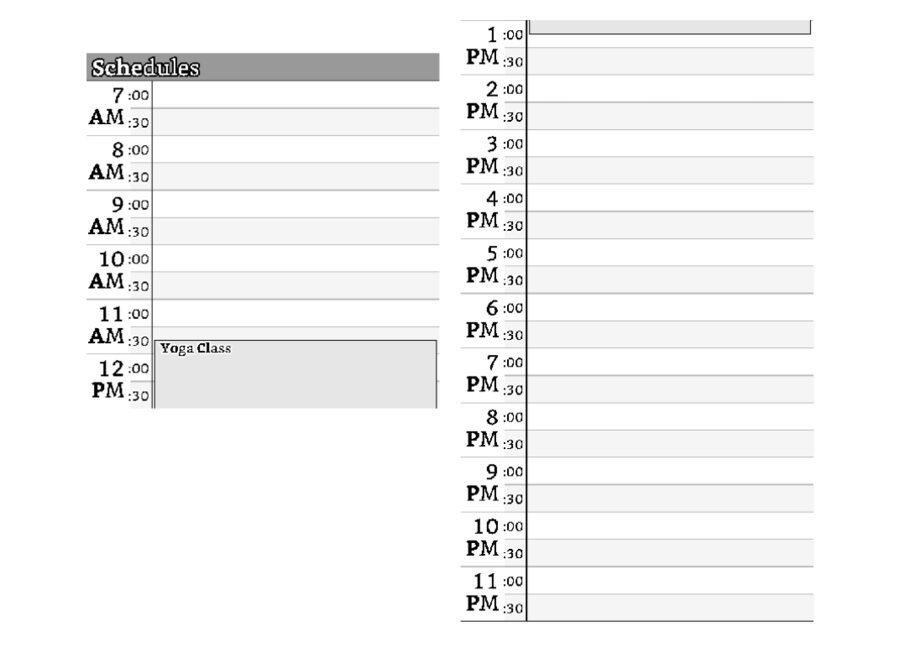
Three widgets: Full Page (which draws your real ink, not a summary), Schedule, and Tasks & Notes. Resizable, refreshing every half hour — often enough to be true, rarely enough not to ghost an e-ink screen all day. On iPhone, iPad and Watch they come in small, medium and large.
Take your years back
You don’t start empty. Point the importer at your Facebook or Instagram export and it builds day pages out of years you’d forgotten writing.
Built for the real thing, not a demo: multi-gigabyte exports on ordinary hosting, uploaded in chunks, resumable when the tab closes, safe to run twice. And it knows what those exports do to your words — captions arrive double-encoded so café becomes café (repaired, exactly once); photos ship with no timestamp and naive tools pile fifteen years onto one afternoon (never happens here); Facebook writes its own titles like “Michael shared a link” (kept for the record, never used as yours).
Everything imports private. You read your own archive first and decide afterwards. Nothing gets broadcast because you installed something.
Write on a walk. Publish from your pocket.
A page you wrote by hand becomes a post on your own domain — transcribed, with the page image attached, categories and tags pulled live from the site you picked. Status is WordPress’s own four: Draft · Publish · Schedule · Private.
It opens on Draft, deliberately. A device you write on while walking is not where you want a one-tap path to the public internet. Compose in the field, publish at a desk.
Rented, or owned. You pick — every layer.
This is the part that makes the rest mean something. Four layers, one shape: somebody else can host it, or you can, and the files underneath are identical either way.
If we vanished tonight, you’d wake up with a folder of dated JSON files and your media, on your own disk. That’s the honest best case, and it’s the one we built for.
And when two devices edit the same day, both sets of strokes survive — a conflict-free merge, shared by both sync back-ends, with erased strokes staying erased. Not last-write-wins quietly eating your afternoon.
Grow a digital garden, not a timeline
A timeline is a conveyor belt: newest thing on top, everything else buried. A digital garden is a place that gets richer the longer you tend it.
That is what the ledger becomes. Entries connect into threads. Threads thicken over years. Old writing resurfaces on this day, or through a rhizome, or because you searched for a half-remembered phrase. Nothing decays out of relevance just because it stopped being new.
And it is yours — on your domain, in your files, with the front door open to anyone who wants to read it and closed to anyone who wants to mine it.
A network with nobody in the middle
Publish a feed and anyone can follow you — no account, nobody’s permission, including ours. Link to someone and your site tells theirs; they link back and it lands in your inbox for approval. Follow other ledgers and read them in a river, in time order, where nothing ranks, scores, promotes or withholds.
Want to be findable? A directory is just another Ledgable site with a switch on — a shala, a reading group, a family, a town. You declare membership on your domain, so nobody can list a site they don’t control, and leaving is one edit that no directory can refuse.
Old internet energy
Real writing. Real people. No algorithm in the middle deciding which of your friends you’re allowed to hear from today.
You remember what it was like. You had a site. Your friends had sites. You linked to each other. Nothing was optimising you, nothing was A/B testing your attention, and nobody could make your archive disappear by changing a policy.
Anti-enshittification is a design constraint here, not a slogan. Concretely, it means:
- No feed ranking. Your river is in time order. There is no engagement signal to optimise because we don’t collect one.
- No lock-in surface. Your notes are plain files in a dated tree. Leaving costs a file copy.
- No account required to follow you. Anyone with a reader can, forever, without our permission.
- Nothing phones home. The plugin makes no outbound request unless you switch one on yourself.
- No growth loop. Nothing in here is trying to make you use it more. It’s trying to be a good notebook.
The business model that ruins software is the one where you’re the inventory. You can’t be the inventory of a thing that runs on your own domain.
Ledgers that find each other
Your ledger lives on your own site. So does everyone else’s. The plugin gives each one a feed, webmentions in and out, and a profile it can list in a directory — and a directory is just another Ledgable site with the switch on. This one has the switch on: ledgable.cc is the first hub. List your ledger here, follow your neighbours’ feeds as a river in date order, answer a post on your own site and let the webmention carry it back. No platform in the middle, and nobody who can delist you but you.
And for everyone who would rather not run their own community, there is one here: the Ledgable community — announcements, pages people made, help, ideas, and a room per kind of device. Come in either way.
When you need a hand
📖 Knowledge base
One question, one answer: sync, mail, feeds, the pen, widgets, the watch, publishing. Thirty-seven short articles →
🛟 Support
Something broke? Open a ticket and it reaches the person who wrote the code. Report a bug →
Start
The Android app runs today on e-ink tablets; the iOS app, with the iPad, iPhone and Apple Watch, is in App Review; Mac is next. The ground is ready now: the WordPress plugin needs 6.4 and PHP 7.4, sends nothing anywhere, and makes no outbound request unless you switch one on yourself.
Ledgable — cozy and transgressive
GPLv2 or later · sends nothing outward