Knowledge base › Widgets & Watch
Home screen widgets
The iOS widget families and what each shows; the Android widgets.
Widgets put today on the home screen without opening the app. Add them from your device’s own widget picker under the Ledgable name; there is nothing to configure.
iPhone and iPad
Six widgets, each in small, medium, large and extra-large sizes unless noted:
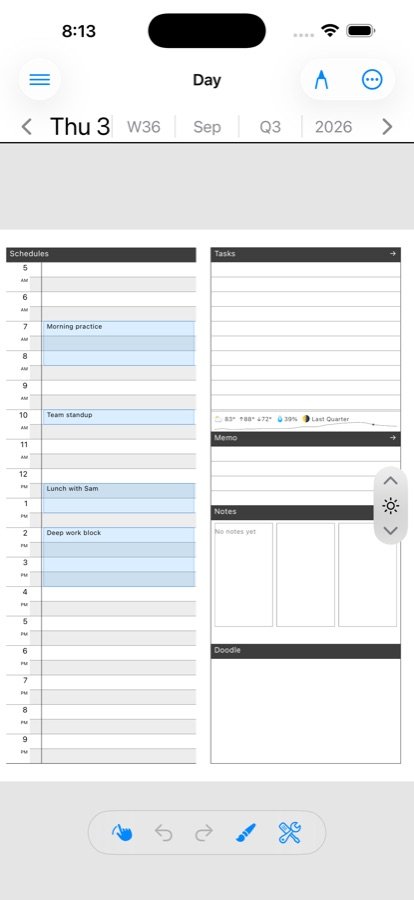
- Schedule — today’s Schedules column. Small is a “what’s next” card: the next event carries the weight, one or two ride under it, the rest is a “+N later” whisper. Large draws your actual ink column, in your handwriting.
- Tasks — today’s tasks with a ✓ you can tap on the home screen. The tap marks the task done in the app on your next visit, with the same push a checkbox in the app makes. It only ever sets done; undoing is an in-app act.
- Feeds — the newest unread articles and the total. Tap a row to open it.
- Book — what you are reading, with progress. Small and medium only.
- Mail — what is waiting. Tap a row to open that letter.
- Daily Pile — the day’s gathered pieces: starred mail, roster, picks, tasks, grams — each with an e-ink-legible marker.
Widgets fill themselves from the height they actually have, so a large widget on an iPad in landscape shows more rows than the same widget on a phone, and rows wrap to two lines when there is room, rather than clipping over empty paper. Tapping a day-shaped widget lands on today, not wherever the app was left.
They refresh on the app’s background fetch cycle and whenever you leave the app. One calm colorway — paper, ink, one amber — in light and dark.
Android e-ink
A family of widgets under the Ledgable name, resizable in both directions:
- Full Page — today’s whole planner page including your strokes. A tablet on a desk showing this morning’s handwriting is closer to a notebook left open than to an app icon.
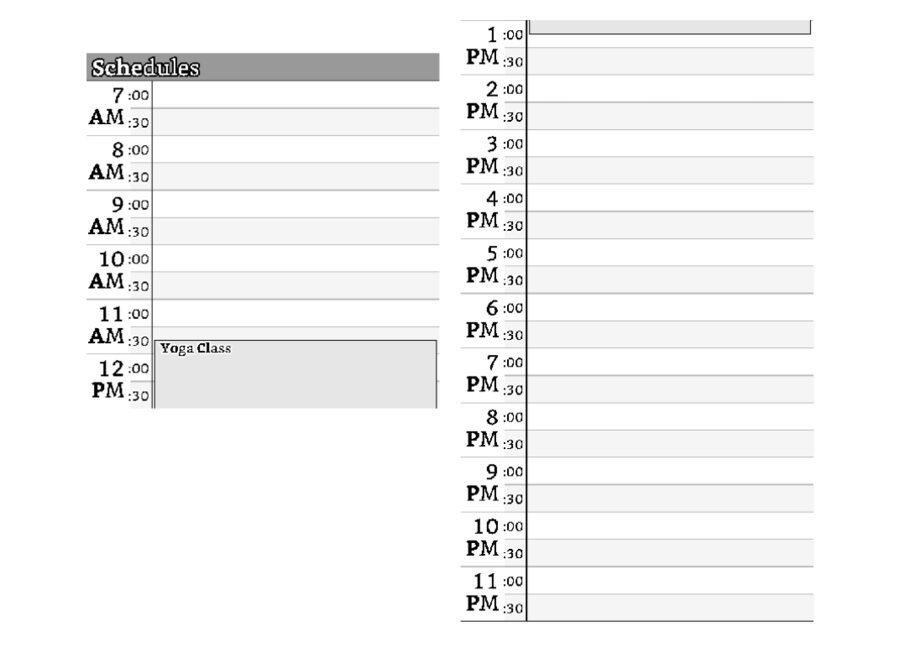
- Schedule — the hour grid with your events, morning on the left and afternoon on the right.
- Tasks & Notes — the right-hand columns side by side.
- Others for mail, feeds, the day’s pile, publishing and the booking roster, each tapping through to its room.
They refresh every half hour and immediately when you save strokes — often enough to be true, rarely enough not to ghost the screen all day. Calendar events are overlaid. Tap any widget to open the app on today.
No badge
There is no unread count on the app icon. The counts live in the widgets and the sidebar; the app records what you do and does not nag.
If a widget is blank
It shows what the app last published. Open the app once after installing or updating, and again after changing sync, and the widgets fill on the next refresh. A widget never crashes on missing data; it shows its empty state.
Related
In this section: Widgets & Watch
- Home screen widgets
- Apple Watch
Ledgable — cozy and transgressive