Knowledge base › Getting started
Start here
What Ledgable is, the day page, and the sidebar in one screen.
Ledgable is a notebook that knows what day it is. You write by hand on one page per day, and everything else in the app — reading, mail, books, people, your website — is a door out of that page and a way back to it.
The day page
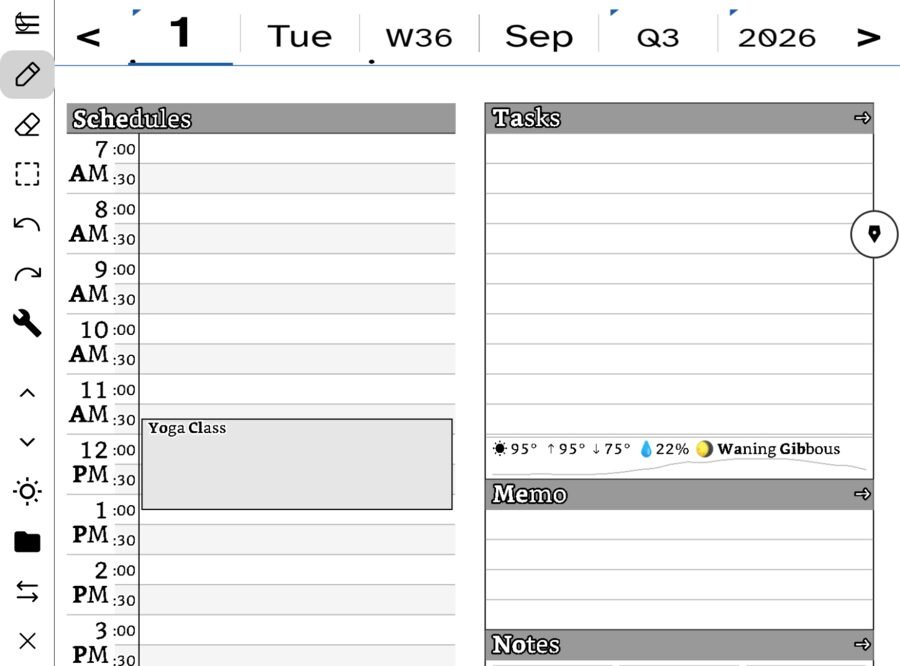
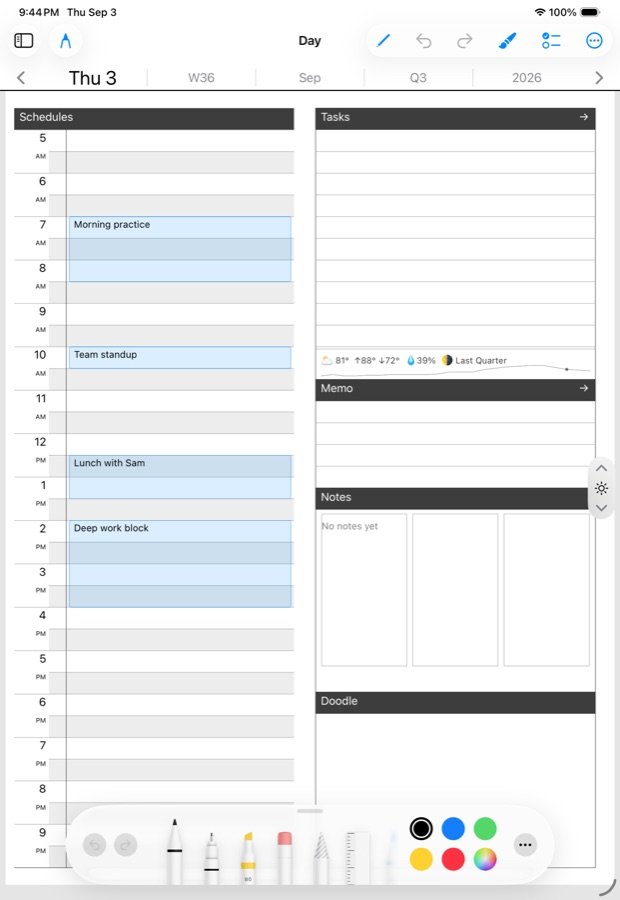
Open the app and you are on today. The page has zones: Schedules down the side for the hours of the day, then Tasks, Memo and Notes. Every zone takes handwriting. A strip under the panels shows the weather and the moon, which sounds like decoration until you look back at a page from two years ago.
Ink is stored as strokes, not pixels. That is why the eraser removes a whole letter, why the page stays sharp at any zoom, and why a page you wrote on one device opens on another exactly as you left it.
The sidebar
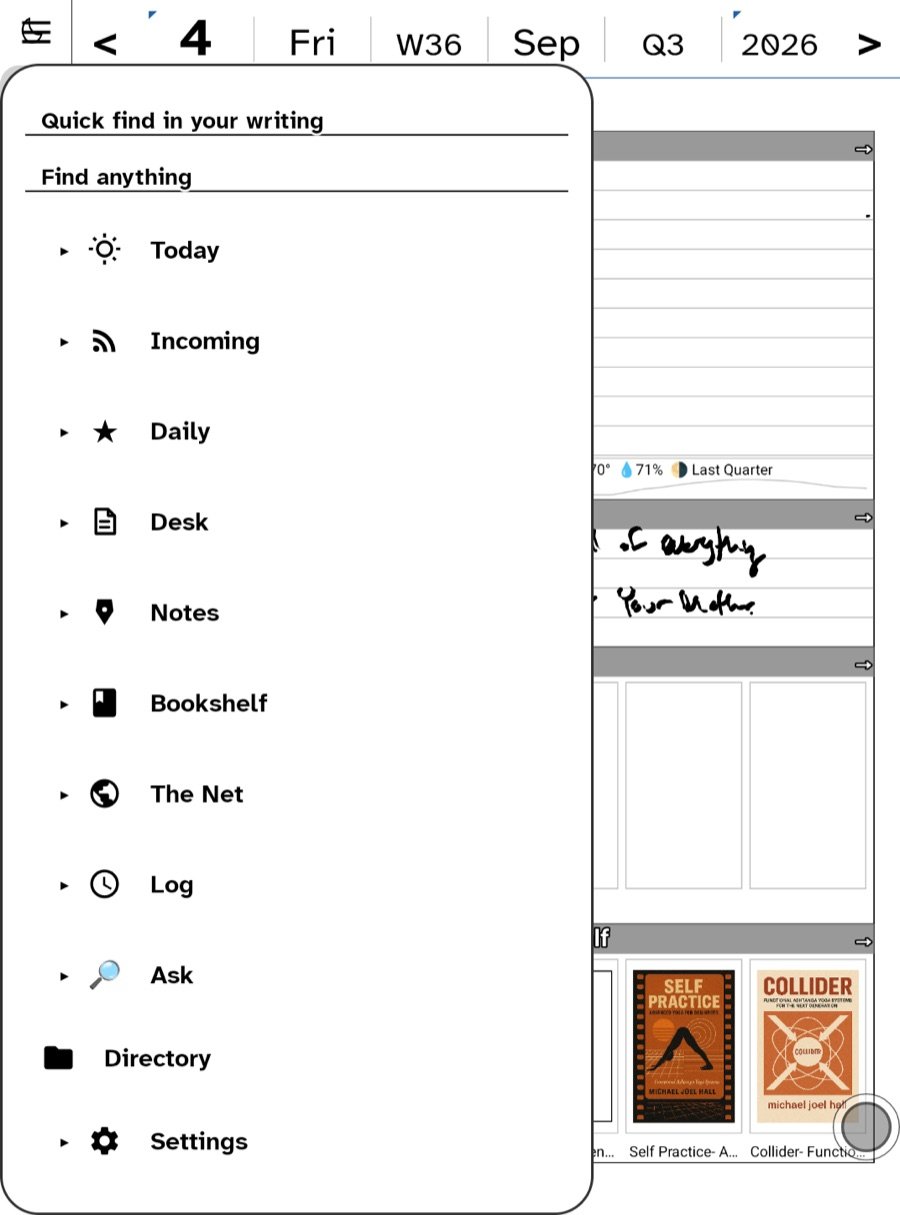
One button, top-left, opens the sidebar. On Android it is called the Hub and sits on the writing rail; on iPhone and iPad it is the sidebar. The folders are the same on both:
- Ask — search your writing, or ask a question about it.
- Today — straight back to today’s page from anywhere.
- Incoming — what has arrived: mail, feeds, Bluesky, the Later List, podcasts.
- Daily — the day’s digest and the walk through your stars and picks.
- Desk — contacts, boards and tasks, bookings, correspondence.
- Notes — the Notebook: every note you have made, in one list.
- Bookshelf — books and comics.
- The Net — the browser, and everything to do with your website.
- Log — what you have read, watched and heard.
- Settings — accounts, sync, backup, and About.
Most folders have a small arrow beside them. Tap the arrow to see what is inside without leaving where you are; tap the name to go there.
Where things live
Your days are plain files in a dated folder tree on the device. Sync mirrors that tree to a WebDAV server or Google Drive, unchanged. There is no account with us, no container only the app can open, and nothing leaves the device unless you switch it on yourself: a feed server, a mail account, a website, an AI key.
What needs what
- Writing, notes, templates, books from files, local feeds and widgets work with nothing connected.
- Reading state across devices needs sync (WebDAV or Drive).
- Mail needs a mail account. Feeds across devices need a feed server.
- Publishing, boards, bookings, messages and the CRM need a WordPress site with the Ledgable plugin. See Connecting a site.
- Ask needs your own AI key.
Where to go next
Read Your first day page to write something, then How sync works before you have a year of pages in here. The long Field Guide on this site walks every screen; this knowledge base answers one question at a time.
In this section: Getting started
Ledgable — cozy and transgressive